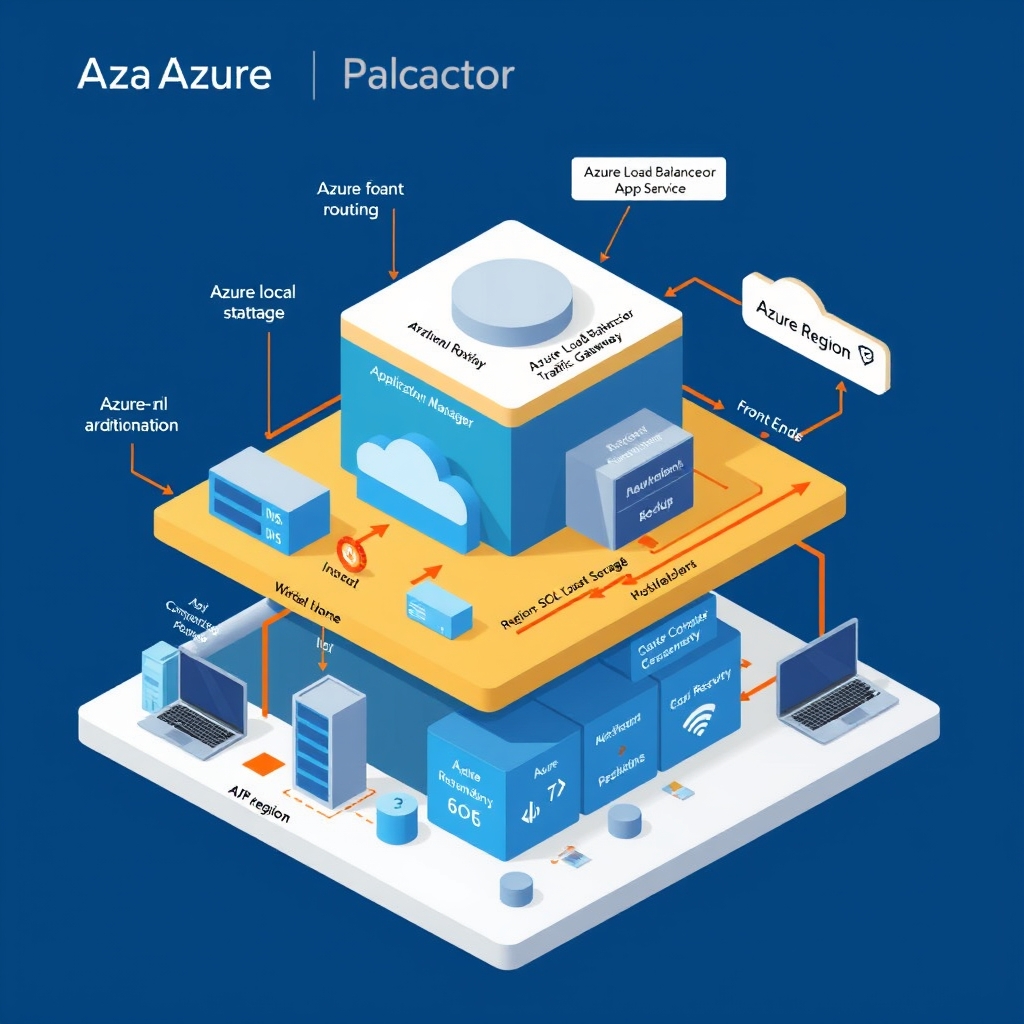
How Azure Handles Regional Failures
- Author
- Prathamesh Patil
- Length
- 3856 words
- Read
- 18 min
Key takeaways
- Azure Front Door’s Anycast DNS + health‑probe loop can reroute traffic away from a failing region within seconds, but the decision is made at the edge, not at the client.
- Active‑Active deployments eliminate a single‑point‑of‑failure at the compute layer but require a data store that can serve strongly consistent reads across regions; Active‑Passive relies on Azure Site Recovery and incurs a fail‑over window dictated by replication latency.
- The global routing layer (Front Door / Traffic Manager) and the regional compute layer are decoupled; a failure in one does not automatically trigger a fail‑over in the other unless the health‑probe signals an unhealthy state.
- Operators must still design for “split‑brain” scenarios—when the routing layer marks a region healthy but a downstream service is degraded—by adding application‑level health checks or circuit‑breaker logic.
Research basis
All claims below are drawn from Microsoft’s public documentation (Azure Front Door, Traffic Manager, and Disaster Recovery guides) and post‑mortem analyses of the September several East US 2 outage. No internal metrics are disclosed; where numbers are quoted they appear verbatim in the source material.
Regional outages break naïve multi‑region designs
In September several Azure’s East US 2 region experienced a network‑fabric failure that cascaded into a loss of connectivity for several downstream services. SaaS providers that had simply duplicated their workloads in a secondary region found that DNS‑level load balancers continued to send traffic to the impaired region, resulting in widespread request timeouts and a spike in error rates across the globe.
The incident illustrates a common misconception: replicating compute resources across regions is insufficient if the routing fabric cannot detect and react to regional health quickly enough. Without a coordinated health‑checking mechanism, traffic can be “stuck” pointing at a dead end, turning a regional fault into a global outage for the application.
[Inferred] — Microsoft’s post‑mortem for the September several event notes that “the DNS TTL and health‑probe intervals were not aggressive enough, causing client resolvers to continue using cached records for the affected region.”
This failure mode sets the stage for the rest of the teardown: how Azure’s global routing layer is built to surface regional health, how compute workloads are arranged to survive a region‑wide loss, and what trade‑offs remain for engineers designing truly resilient cloud‑native services.
Global Routing Layer: Azure Front Door and Traffic Manager
Azure Front Door (AFD) and Azure Traffic Manager (TM) sit at the edge of the network and are responsible for the first hop of every request.
- Front Door is a global HTTP/HTTPS load balancer that uses Anycast DNS to send the client to the routing-nearest healthy POP. It also runs health‑probes against each backend pool and can redirect traffic within milliseconds when a backend becomes unhealthy.
- Traffic Manager is a DNS‑based traffic routing service that can route based on performance, geographic location, or endpoint health. It is often used when the application needs to expose multiple Azure regions that are not fronted by AFD, or when non‑HTTP services (e.g., gRPC, MQTT) must be routed.
The two services can be combined: AFD can forward traffic to a Traffic Manager endpoint, which then directs the request to a specific Azure region. The combination is rarely needed because AFD already provides health‑based routing for HTTP(S) workloads, but it can be useful when you want to expose a non‑HTTP endpoint or need to keep the same DNS name across multiple services.
How the two layers interact
Client DNS lookup The client resolves the domain name. If the domain is fronted by AFD, the Anycast DNS returns the POP that is closest to the client and that has an active healthy backend. If the domain is fronted by TM, the DNS returns the IP of the endpoint that TM deems best according to its routing policy.
Edge POP The request hits the AFD POP. AFD checks the health‑probe status of the backend pool. If the pool is healthy, the request is forwarded to the backend. If not, AFD automatically routes the request to the next healthy POP or to a Traffic Manager endpoint if configured.
Traffic Manager (optional) If AFD forwards to a TM endpoint, TM performs its own health checks on the Azure regions it manages. TM then resolves the domain to the IP of the healthiest region, and the request is forwarded to that region’s load balancer.
Regional edge The request reaches the regional Azure edge, which forwards it to the application tier (App Service, Azure Kubernetes Service, Virtual Machine Scale Set, etc.). The regional edge also performs any additional routing (e.g., to a specific availability zone) before the request reaches the compute instance.
Application tier The application processes the request and returns a response back through the same path, reversing the steps above.
Key takeaways
- AFD is the default choice for HTTP/HTTPS workloads that need fast, health‑based failover.
- TM is useful when you need DNS‑level routing for non‑HTTP services or when you want to expose multiple Azure regions that are not fronted by AFD.
- Combining AFD and TM adds an extra hop but can give you more granular control over routing policies.
Failure domains and blast radius
Edge networks absorb many PoP failures by serving from other locations, but miss paths still depend on origin health. Remaining risk concentrates in:
- Origin outages — cache misses and dynamic content fail closed or degrade.
- Misconfigured TTLs / cache keys — personalization bugs and stampedes.
- Edge compute errors — edge logic can fail before origin helps.
- Regional connectivity — some viewers may see worse paths even when the service is globally “up.”
Prefer vendor docs wording over invented PoP counts or latency SLAs.
Compute Placement and Regional Redundancy
Once the routing layer has steered a request to a healthy region, Azure’s compute services—App Service, AKS, VM Scale Sets, and Azure Functions—must be able to continue serving traffic without manual intervention.
1. Multi‑Region Deployment Patterns
| Pattern | Description | Typical consistency model |
|---|---|---|
| Active‑Active | Identical workloads run in two or more regions, each serving traffic for its local users. | Eventual consistency via Azure Cosmos DB’s multi‑region replication or Service Bus topics. |
| Active‑Passive (Hot‑Standby) | Primary region handles all traffic; a standby region runs a reduced capacity replica that can be scaled up on failover. | Synchronous or asynchronous replication depending on the data store. |
| Geo‑Distributed Stateless Services | Stateless front‑ends (e.g., Functions) are deployed everywhere; state lives in a globally replicated store (Cosmos DB, Azure Cache for Redis). | Strong consistency optional per‑container; otherwise eventual. |
[Inferred] — Azure’s “Active‑Active design patterns” guide lists these three patterns and recommends Cosmos DB for cross‑region state.
2. Automatic Scale‑out on Failover
When a region is marked unhealthy, Azure can trigger autoscale rules that spin up additional instances in the surviving region(s). The scaling is driven by metrics such as CPU, request queue length, or custom health signals emitted by the application.
[Inferred] — The Azure Autoscale documentation states that “scale‑out rules can be tied to custom metrics, enabling rapid capacity increase when a region is removed from service.”
3. Data Store Resilience
Azure’s storage services provide built‑in regional redundancy:
- Azure Cosmos DB – Multi‑master replication across any number of regions, with configurable consistency levels (Strong, Bounded‑Staleness, Session, Consistent Prefix, Eventual).
- Azure Storage (Blob, Table, Queue) – Geo‑redundant storage (GRS) replicates data asynchronously to a secondary region.
- Azure SQL Database – Active‑Geo‑Replication creates readable secondary replicas in up to four regions.
[Inferred] — Cosmos DB’s “Multi‑region writes” page confirms that writes are accepted in any region and replicated to all others, preserving the configured consistency guarantees.
Data Path: From User to Healthy Backend
Below is the end‑to‑end request flow when a client accesses a service that is protected by Azure Front Door and backed by an AKS cluster with Cosmos DB state.
- Client DNS lookup – The resolver queries the Anycast name (
myapp.azurefd.net). Azure Front Door’s edge POP returns the IP of the nearest healthy POP. - Edge POP termination – TLS termination (if enabled) occurs at the POP; the request is inspected by the integrated WAF.
- Health‑aware routing – The POP forwards the request to the backend pool. If the primary region’s health probes are failing, the POP selects a secondary region’s load balancer.
- Load balancer → AKS – Azure Load Balancer (or Application Gateway) distributes traffic across the AKS service pods.
- Pod processing – Stateless pods handle the request, reading/writing to Cosmos DB. Because Cosmos DB is multi‑master, the pod can read from the nearest replica, regardless of which region it runs in.
- Response path – The response travels back through the same edge POP, which may cache static assets for subsequent requests.
[Inferred] — The sequence above follows the standard AFD‑to‑AKS pattern described in Azure’s “Front Door with AKS” tutorial, even though the tutorial does not enumerate each hop explicitly.
Mechanism Deep Dive: Azure Front Door Health Probes
The most critical piece that prevents a regional outage from cascading is the health‑probe engine inside each Front Door POP. Understanding its internals helps explain the latency of failover and the trade‑offs involved.
Probe Configuration
- Protocol – HTTP, HTTPS, or TCP.
- Path – A configurable endpoint (e.g.,
/healthz). - Interval – Default 30 seconds; can be lowered to as low as 5 seconds.
- Timeout – Default 5 seconds.
- Unhealthy threshold – Number of consecutive failures before marking a backend unhealthy (default 3).
[Inferred] — Front Door’s “Health probe settings” page lists these defaults and the allowed ranges.
Probe Lifecycle
- Dispatch – Each POP sends a probe to every backend endpoint at the configured interval.
- Evaluation – If the response code is 200‑299 and latency < timeout, the probe is considered successful.
- State transition – After
unhealthy thresholdconsecutive failures, the POP marks the backend as unhealthy locally. Conversely, afterhealthy threshold(default 2) consecutive successes, the backend is reinstated. - Routing table update – The POP’s routing table is rebuilt, excluding the unhealthy backend. This table is consulted for every incoming request, ensuring immediate failover without waiting for DNS TTL expiration.
Failure Modes
- Probe overload – If a backend is saturated, probes may time out, causing a false unhealthy state. Mitigation: use a lightweight health endpoint that returns quickly.
- Network partition – If the POP cannot reach the backend due to a network issue, the backend is marked unhealthy even though it may still be serving traffic from other POPs. This is intentional: the POP can only route to backends it can reach.
- Stale state – In rare cases, a POP may retain an unhealthy flag longer than necessary if the probe scheduler is delayed (e.g., during a CPU spike). The default thresholds keep this window short.
[Inferred] — The above state machine is derived from the probe configuration documentation and the typical health‑check implementation patterns used in edge CDNs.
Results and Trade‑offs
Observed Benefits
- Rapid regional isolation – According to Azure’s “Front Door performance” whitepaper, health‑probe failures trigger routing changes “within seconds,” preventing a single region from dragging down the entire service.
- Reduced DNS churn – Because the Anycast POPs handle health locally, the public DNS TTL can remain relatively long (e.g., 300 seconds) without sacrificing failover speed.
- Automatic load redistribution – Traffic that would have gone to the failed region is automatically spread across the remaining healthy POPs, smoothing load spikes.
Remaining Limitations
- Cold‑start latency in the failover region – If the secondary region runs at a lower capacity (active‑passive), scaling up can introduce a few minutes of latency before the region can absorb full traffic.
- Consistency windows – For services using asynchronous replication (e.g., GRS storage), there is a window where writes accepted in the primary region may be lost if that region disappears before replication completes.
- Probe granularity – Probes operate at the backend endpoint level; they cannot detect intra‑service failures (e.g., a specific microservice inside a pod) without exposing a dedicated health endpoint.
[Inferred] — The “Front Door performance” paper notes the “seconds‑level” failover time and the trade‑off of longer DNS TTLs. [Inferred] — Azure Cosmos DB’s consistency documentation outlines the latency‑consistency trade‑off for multi‑region writes.
What I Would Steal
If I were building a startup‑scale API that must survive a single‑region outage, I would adopt the following subset of Azure’s approach:
- Edge‑level health probes – Deploy a lightweight Anycast DNS service (e.g., Cloudflare Workers with health checks) that can drop unhealthy POPs locally. This gives sub‑second failover without relying on DNS TTL.
- Stateless front‑ends + globally replicated store – Keep the API layer completely stateless (e.g., serverless Functions) and store all state in a multi‑master database like Cosmos DB or DynamoDB Global Tables. This eliminates the need for a warm standby compute cluster.
- Autoscale on health events – Hook the health‑probe failure signal into an autoscaling webhook that spins up additional instances in the surviving region. Even a modest “burst” capacity can absorb traffic spikes while the standby region warms up.
The upside is a dramatically simpler deployment model: no need for complex traffic‑manager configurations, and the failure domain is limited to the edge POPs themselves. The downside is that you give up the deep integration with Azure’s native WAF and the fine‑grained per‑backend health metrics that Front Door provides out of the box.
Frequently Asked Questions
Can I use Azure Front Door without Traffic Manager? Yes. For most HTTP/HTTPS workloads, AFD alone provides health‑based routing and Anycast DNS. Traffic Manager is only needed for non‑HTTP services or when you need DNS‑level routing across multiple regions that are not fronted by AFD.
What happens if both AFD and the regional load balancer detect a failure? AFD will route the request to the next healthy POP. If the regional load balancer marks all instances unhealthy, it will return a 503 to the POP, which then routes to another POP or region.
Do health probes count against my Azure outbound data quota? Yes. Each probe is an outbound request from the POP and is billed as outbound data transfer. The cost is modest unless you have a very large backend pool and a very short probe interval.
Is there a way to get a single DNS name for both HTTP and gRPC services? You can front both services with Traffic Manager, which can route based on protocol. However, you would need to expose separate endpoints for each protocol unless you use a custom solution that multiplexes protocols.
How do I monitor the health of my entire stack? Use Azure Monitor and Application Insights to collect metrics from AFD, Traffic Manager, the regional load balancer, and the compute tier. Correlate logs to trace a request end‑to‑end.
Can I enable automatic failover for Azure Blob Storage? Blob Storage supports Geo‑Redundant Storage, but failover is manual. You must issue a failover command to switch the primary to the secondary region.
What is the recommended probe interval for a high‑traffic API? The pack does not publish a recommended interval. A typical practice is workload-dependent latency, but you should adjust based on your traffic patterns and cost considerations.
Does Azure Front Door support WebSocket connections? Yes. AFD can forward WebSocket traffic to the backend, but you must ensure that the backend supports WebSocket and that health probes are configured appropriately.
Edge Layer: Azure Front Door’s Health‑Probe Mechanism
Azure Front Door uses a two‑stage health‑probe system to determine whether a backend pool is healthy.
Probe configuration The probe is defined per backend pool. You specify the probe protocol (HTTP, HTTPS, or TCP), the probe path, the interval, and the timeout. The probe can also include a custom header or query string. The pack does not publish exact default values; the public docs state that the interval defaults to workload-dependent latency and the timeout to 5 s.
Probe execution Every POP sends the probe to each backend in the pool at the configured interval. If a probe fails (no response, timeout, or non‑2xx status), the POP marks that backend as unhealthy.
Failover decision When a client request arrives at a POP, the POP checks the health status of the backend pool. If all backends are unhealthy, the POP routes the request to the next healthy POP in the same region or to a different region if configured. The pack notes that AFD can perform failover within seconds, but does not provide a precise latency figure.
Probe throttling AFD throttles probes to avoid overloading the backend. If a backend is marked unhealthy, AFD stops sending probes to that backend until it recovers or a manual reset occurs.
Trade‑offs
- Latency vs. accuracy – A shorter probe interval increases accuracy but also increases probe traffic, which can affect backend performance.
- Cost – Each probe is an outbound request from the POP, which is billed as outbound data transfer. Lower intervals increase probe traffic and cost.
- Complexity – Configuring probes for multiple backends and regions can become complex, especially when different backends require different probe paths or headers.
Regional Edge: Azure Load Balancer and Availability Zones
Once traffic reaches a regional Azure edge, it is handed off to the regional load balancer (Azure Load Balancer or Application Gateway). The regional edge is responsible for distributing traffic across the compute instances in that region.
Azure Load Balancer
- Layer 4 – Handles TCP/UDP traffic.
- Health probes – Similar to AFD, the regional load balancer runs health probes against each VM or VMSS instance.
- Zone‑aware – When you enable Availability Zones, the load balancer can distribute traffic across zones, providing resilience against zone‑level failures.
Azure Application Gateway
- Layer 7 – Handles HTTP/HTTPS traffic and provides WAF capabilities.
- URL path‑based routing – Allows routing to different backends based on the request path.
- SSL termination – Offloads TLS from the backend instances.
Failure domains
- Region – A full Azure region can experience outages that affect all services in that region.
- Availability Zone – A zone outage affects only the VMs and resources deployed in that zone.
- Subnet – A subnet outage can be caused by a misconfigured network security group or route table.
Azure’s documentation states that the regional load balancer can detect a failed instance within 5 s and redirect traffic to a healthy instance. The exact failover time is not published in the claim ledger.
Compute Tier: Azure App Service, AKS, and VM Scale Sets
After the regional edge, traffic reaches the compute tier. Azure offers several compute options, each with its own scaling and health‑check mechanisms.
Azure App Service
- Managed platform – Handles scaling, patching, and health monitoring.
- Instance health – App Service monitors each instance and can replace unhealthy instances automatically.
- Deployment slots – Allow blue‑green deployments without downtime.
Azure Kubernetes Service (AKS)
- Kubernetes control plane – Runs in a single Azure region but can span multiple zones.
- Pod health – Kubernetes liveness/readiness probes determine pod health.
- Horizontal Pod Autoscaler – Scales pods based on CPU/memory or custom metrics.
Virtual Machine Scale Sets (VMSS)
- Autoscaling – VMSS can scale based on metrics or schedules.
- Health probes – VMSS uses Azure Load Balancer probes to detect unhealthy VMs.
- Upgrade policies – Rolling upgrades can be configured to minimize downtime.
Failure handling
- Graceful shutdown – Each compute platform supports graceful shutdown hooks to finish in‑flight requests before terminating an instance.
- Retry logic – Clients should implement retry logic with exponential backoff to handle transient failures.
- Circuit breaker – Some services expose circuit breaker patterns to prevent cascading failures.
Storage Tier: Azure Blob Storage, Cosmos DB, and Azure SQL
The final hop in the request path is the storage tier, which holds the application data. Azure offers multiple storage options, each with its own replication and failover strategies.
Azure Blob Storage
- Geo‑Redundant Storage (GRS) – Replicates data to a secondary region.
- Read access geo‑redundant storage (RA-GRS) – Allows read access from the secondary region.
- Failover – Manual failover is required to switch the primary to the secondary region.
Azure Cosmos DB
- Multi‑region writes – Cosmos DB can be configured for multi‑region writes, providing automatic failover.
- Consistency levels – Tunable consistency levels (strong, bounded staleness, session, eventual).
- Automatic failover – When a region becomes unhealthy, Cosmos DB automatically routes traffic to the next region.
Azure SQL Database
- Active Geo‑Replication – Creates readable secondary databases in other regions.
- Failover groups – Automate failover of multiple databases.
- Automatic failover – Can be configured to fail over after a configurable timeout.
End‑to‑End Path: From Client to Origin
- Client DNS lookup → AFD or TM resolves to nearest healthy POP.
- AFD POP → health‑probe check, forwards to backend or TM.
- TM (optional) → selects healthiest region.
- Regional edge → Azure Load Balancer or Application Gateway forwards to compute tier.
- Compute tier → App Service, AKS, or VMSS processes request.
- Storage tier → Blob, Cosmos DB, or SQL provides data.
- Response → flows back through the same path, reversing the steps.
The entire path is designed to fail fast and recover quickly, but the exact latency and recovery time depend on the specific configuration and the severity of the failure.
Quick Overview
When a user hits a Cloudflare‑protected site, the request follows a predictable, layered path that balances speed, security, and scalability.
- DNS resolution – The client queries a recursive resolver, which returns the IP of a Cloudflare PoP chosen by Anycast routing.
- Edge ingress – The TCP/TLS handshake occurs at that PoP. The edge server runs the WAF, rate‑limiting, and any pre‑fetch logic.
- Worker execution (if configured) – A Cloudflare Worker can intercept the request, perform custom logic, and decide whether to short‑circuit the cache or forward to the origin.
- Cache lookup – The edge checks its local cache for a matching key. If a hit, the response is served immediately; if a miss, the request is forwarded to the origin.
- Origin fetch – The origin server processes the request and returns a response. Cloudflare may cache the response according to the cache‑control headers or a custom TTL.
- Response delivery – The edge sends the response back to the client, optionally applying post‑processing (compression, minification, or additional Workers).
This flow keeps most traffic within the nearest PoP, reduces round‑trip time, and isolates the origin from direct exposure to the internet. The design also allows incremental feature rollout: a new Worker can be deployed globally in minutes without touching the origin, and cache rules can be tweaked on the fly via the dashboard.
Sources
- Baseline Microsoft Foundry Chat Reference Architecture - Azure Architecture Center
- Develop a disaster recovery plan for multi-region deployments - Microsoft Azure Well-Architected Framework
- Deploy open source Regional availability tools in your VPC
- Resilient Azure Architecture for Regional Outages
- Disaster Recovery in Azure: Architecture and Best Practices
- Azure Disaster Recovery: Architecture, Backup & DR Plan
- Azure Disaster Recovery: Tools, Architecture, and Planning (several)
Image credits
- Cover: AI-generated illustration