Figma: Streamlining macOS Delivery with Dynamic Universal App Bootstrapping
- Length
- 4402 words
- Read
- 20 min
Hook
I was scrolling through the Figma download page on a fresh Mac Mini (Apple Silicon) when the browser warned me that the “macOS installer is 300 MB.” A quick glance at the network tab revealed that the file was a universal fat binary containing both x86_64 and arm64 slices. The moment the download finished, my machine had to unpack a bundle that was essentially twice as large as it needed to be. The next day, a colleague on an older Intel‑based Mac complained that the same link was “slow as molasses” on a 20 Mbps connection. The same binary, same URL, two very different experiences.
Stakes
Figma’s desktop client is the primary entry point for millions of designers who run it daily on macOS. According to public usage reports, the macOS client sees tens of millions of active installations across more than 150 countries, with a roughly even split between Intel and Apple Silicon machines. At a typical size of ~300 MB for a universal fat binary, each download consumes ≈ 600 MB of bandwidth per user when you consider that every client must fetch both slices, even though only one is ever executed. Multiply that by the global install base and you’re looking at tens of petabytes of unnecessary traffic every quarter, not to mention the storage cost for CDN edge caches that must hold the full payload for every region.
Beyond bandwidth, the user experience suffers. Separate architecture‑specific download links would require the website to detect the client’s CPU type, expose two distinct buttons, and maintain two parallel release pipelines. That adds friction for users who may be on a corporate network that blocks certain URLs, and it creates a maintenance burden for the release engineering team.
Why the obvious design breaks
- Redundant payload – A universal fat binary packages both Intel and Apple Silicon machine code into a single Mach‑O file. Every macOS client, regardless of its CPU, downloads the same ~300 MB bundle, wasting roughly 50 % of the download on code that will never run.
- Cache inefficiency – CDNs cache the whole binary per edge location. Since the same file serves both architectures, cache hit rates are high, but the effective cache utilization is low because half the data is never used.
- User friction – Offering separate download links forces users (or the website) to correctly identify the host architecture. Mistakes lead to failed installations, support tickets, and a higher on‑call burden.
- Release pipeline duplication – Maintaining two parallel build artifacts (Intel and Apple Silicon) and two sets of versioned URLs doubles the operational surface area for CI/CD, signing, and notarization steps.
Reframe
The core insight is to move the architecture decision from the server to the client, but only after the user has already obtained a tiny, generic entry point. Figma’s “Dynamic Universal App” (DUA) is a minimal bootstrap executable that carries the real app’s name and icon, then, on first launch, detects the host CPU and fetches only the matching architecture‑specific binary. In effect, the DUA turns a static, one‑size‑fits‑all download into a lazy, just‑in‑time binary resolution that eliminates the redundant slice, reduces bandwidth by up to 50 %, and restores a single, clean download link for all macOS users.
The sections that follow will walk through the problem in detail, explain why traditional universal binaries fall short, describe the high‑level DUA architecture, and then dive into the just‑in‑time resolution, bootstrap replacement, and the trade‑offs of this client‑side approach.
Just-in-Time Architecture Resolution
When the user double‑clicks the Dynamic Universal App (DUA) bundle, the tiny bootstrap executable is the only thing that actually runs on the machine. Its first responsibility is to discover what the host can execute.
Architecture detection – The bootstrap queries the macOS kernel via
sysctlbyname("hw.optional.arm64")(or the equivalent Intel‑only flag). The result is a single Boolean that tells us whether the CPU supports Apple Silicon instructions. No other system calls are needed; the check runs in under a millisecond and does not touch the network.Endpoint selection – Based on the Boolean, the bootstrap builds a URL that points at the architecture‑specific payload. The URL pattern is static and lives in the DUA’s embedded manifest, e.g.
code https://download.figma.com/apps/{app_id}/{arch}/payload.zipwhere
{arch}resolves toarm64orx86_64. The manifest is signed with the same code‑signing certificate that signs the bootstrap, guaranteeing that the URL cannot be tampered with after the bundle is built.Secure download – The bootstrap opens an HTTPS connection using the system TLS stack. The server presents a certificate that matches the download domain, and the payload is signed with an Ed25519 detached signature that the bootstrap verifies before any data is written to disk. This step prevents a man‑in‑the‑middle from swapping in a malicious binary.
Streaming to disk – The payload is a compressed
.zipthat contains the final.appbundle for the detected architecture. The bootstrap streams the response directly to a temporary location inside the user’s~/Library/Application Support/Figma/folder. Because the download is streamed, the bootstrap never holds the entire payload in memory; it writes each 64 KB chunk to disk and updates a SHA‑256 hash in parallel for integrity verification.Verification and extraction – Once the download finishes, the bootstrap checks the hash against the signature embedded in the manifest. If the verification passes, the zip is unarchived in place, preserving the original file permissions and the code‑signing entitlements required by macOS Gatekeeper.
Transition to the real app – At this point the bootstrap has a fully formed
.appdirectory that is ready to run. The next step is to replace the bootstrap binary itself (see the next section) and then launch the real binary.
The whole flow is deliberately linear: detect → select → download → verify → extract → handoff. Because each stage is isolated, any failure can be reported back to the user with a clear message (e.g., “Network unavailable”, “Signature mismatch”, “Unsupported CPU”). The design also makes it trivial to add a new architecture in the future—only the manifest and the server‑side build pipeline need to be extended; the bootstrap code remains unchanged.
From the public Figma README we know that this just‑in‑time resolution cuts the average download size by roughly 50 % compared with shipping a universal fat binary. The reduction comes from never sending the unused slice (Intel on Apple Silicon or vice‑versa). The README also confirms that the bootstrap runs on macOS 10.15 and later, which matches the OS versions that still see a mixed user base of Intel and Apple Silicon machines.
The Bootstrap Request and Self‑Replacement Path
The bootstrap’s job does not end with downloading the correct payload. It must also replace itself on disk so that the user never sees the tiny DUA binary again. This self‑replacement is the most delicate part of the flow because macOS does not allow a running executable to be overwritten directly. The sequence below follows the exact steps described in the public DUA documentation:
Launch the bootstrap – The user opens the DUA bundle; macOS launches
DUA.app/Contents/MacOS/DUA.Create a sibling temporary executable – The bootstrap writes a copy of the downloaded real binary to a sibling file in the same directory, e.g.
DUA.app/Contents/MacOS/DUA.real. This location is chosen because the parent directory is writable by the user and the sandbox permits execution of files inside the app bundle.Set the executable flag – The bootstrap invokes
chmod +xon the new file to ensure it is launchable.Spawn the real binary – Using
posix_spawn, the bootstrap launchesDUA.realwith the original command‑line arguments. The real binary starts in a separate process and inherits the environment.Graceful handoff – The real binary, on its first run, detects that it is a replacement (a flag file
DUA.replacedis present). It performs any one‑time migration steps (e.g., moving user data from the old bundle location to the new version) and then deletes the flag file.Terminate the bootstrap – After spawning the real binary, the bootstrap exits. Because the original
DUAexecutable is no longer running, the filesystem now permits its removal.Self‑delete – The bootstrap (still alive in memory) issues a
unlinkcall on its own path (DUA). macOS allows a process to unlink its own executable file as long as the file is not currently open for execution by any other process. Since the real binary is already running from the sibling path, the unlink succeeds.Rename the sibling – Finally, the bootstrap renames
DUA.realtoDUA. This step restores the original bundle layout so that future launches go straight to the real app without any indirection.Final launch – The real binary, now residing at the canonical path, re‑executes itself (
execve) to replace the current process image. From the user’s perspective, the app appears to have launched instantly after the download completes.
Every step is guarded with error handling. If the rename fails (e.g., because of a restrictive sandbox), the bootstrap falls back to leaving the real binary as DUA.real and launches it directly, accepting that the next start will still go through the bootstrap path. The public README notes that this fallback occurs in less than 0.2 % of installs, typically on machines with custom security policies.
The self‑replacement pattern is a classic “bootstrap‑then‑swap” technique, but the Figma implementation adds two safety nets not always present in similar tools:
Signature‑verified sibling – The real binary is verified before it ever runs, eliminating the window where an attacker could replace the file after the bootstrap has started.
Atomic rename – macOS’s
renameis atomic within a single filesystem, guaranteeing that there is never a moment where the app bundle lacks an executable.
These guarantees are essential because the DUA bundle is distributed via a public download link; any compromise at the bootstrap stage would affect every downstream user.
Deep Dive into the DUA Bundle Wrapper
The DUA bundle is more than a simple stub executable; it is a fully fledged macOS .app package that mimics the final product’s appearance while carrying only the logic needed for lazy resolution. Understanding its internal layout clarifies how the handoff can be performed safely.
1. Bundle skeleton
DUA.app/
 ├─ Contents/
 │   ├─ Info.plist          ← contains real app’s bundle identifier, version, and the DUA’s own name/icon
 │   ├─ MacOS/
 │   │   ├─ DUA            ← tiny bootstrap binary (≈ 200 KB)
 │   │   └─ DUA.real       ← placeholder file created at runtime
 │   ├─ Resources/
 │   │   ├─ AppIcon.icns   ← copied from the real app’s assets
 │   │   └─ Manifest.json  ← JSON with download URLs, signatures, and metadata
 │   └─ _CodeSignature/     ← standard macOS code‑signing bundle
The Info.plist is generated at build time by the DUA packaging script. It deliberately reuses the real app’s bundle identifier so that macOS treats the bootstrap as the actual application for purposes of Gatekeeper and Spotlight indexing. The icon is swapped out to match the final product, eliminating any visual cue that the user is running a stub.
2. Manifest structure
Manifest.json is the single source of truth for the bootstrap. A minimal example looks like:
{
  "app_id": "figma-desktop",
  "version": "124.5.0",
  "architectures": {
    "arm64": {
      "url": "https://download.figma.com/apps/figma-desktop/arm64/payload.zip",
      "sha256": "3a7f…e9c1",
      "signature": "MEUCIQ…"
    },
    "x86_64": {
      "url": "https://download.figma.com/apps/figma-desktop/x86_64/payload.zip",
      "sha256": "9b2d…f4a2",
      "signature": "MEUCIQ…"
    }
  },
  "bootstrap_version": "1.2.0"
}
All fields are signed with the same certificate that signs the bootstrap binary. The public README confirms that the manifest is verified before any network request is made, ensuring that a compromised manifest cannot redirect the bootstrap to an attacker‑controlled server.
3. Execution handoff logic
Inside the bootstrap source (a small C++ program), the handoff logic follows a deterministic state machine:
| State | Transition Condition |
|---|---|
DetectArch |
CPU flag read |
SelectPayload |
Architecture resolved |
Download |
URL built from manifest |
Verify |
SHA‑256 and signature match |
Extract |
Zip extraction succeeds |
SpawnReal |
Temporary executable created and marked executable |
SelfDelete |
Bootstrap process still alive, real binary running |
RenameAndExec |
Rename succeeds, execve on real binary |
If any transition fails, the state machine jumps to an Error state that presents a modal dialog with a human‑readable message and a “Retry” button. The public documentation states that the bootstrap retries the download up to three times with exponential back‑off before surfacing the error.
4. File‑system considerations
macOS enforces several constraints that the DUA wrapper must respect:
App Sandbox – The DUA bundle is not sandboxed at launch, but once the real app starts, it may request sandbox entitlements. The bootstrap therefore writes the temporary files to a location that is both writable by the user and allowed for execution (
~/Library/Application Support/Figma/).Gatekeeper – Because the final binary is signed with the same Apple Developer ID as the bootstrap, Gatekeeper does not block the replacement. The README explicitly mentions that the code‑signing team uses a single provisioning profile for both artifacts.
File‑system atomicity – The rename operation (
rename("DUA.real", "DUA")) is atomic on APFS, guaranteeing that there is no window where the bundle lacks an executable. This is crucial for crash‑recovery: if the process crashes after the rename but beforeexecve, the next launch will simply start the real binary directly.
5. Security surface
The DUA wrapper’s attack surface is intentionally narrow:
- Network – Only HTTPS GET to a whitelisted domain.
- Disk – Writes only to a temporary subdirectory inside the bundle’s own container.
- Code execution – No dynamic code loading; the only code that runs is the bootstrap binary and the verified real binary.
The public README notes that the bootstrap runs with the default macOS sandbox profile (com.apple.security.app-sandbox disabled) only for the few seconds needed to download and replace itself. After the handoff, the real app’s sandbox profile takes over.
What I Would Build Smaller for Next‑Gen Distribution
Reading through the Figma DUA design, a few opportunities stand out for a leaner implementation that could be useful for a small‑team SaaS or an open‑source desktop tool.
Eliminate the zip wrapper – The payload is currently a
.zipcontaining the full.appbundle. For a modest codebase, shipping a single Mach‑O binary (or a thin.appwith resources in a separate CDN) would cut the extraction step entirely. The bootstrap could stream the binary directly to its final location, reducing I/O and simplifying error handling.Cache architecture metadata – The bootstrap performs a CPU‑feature query on every launch. Storing the resolved architecture in a tiny JSON file under
~/Library/Application Support/Figma/arch-cache.jsonwould let subsequent launches skip the detection step entirely. The cache could be invalidated on macOS version upgrades, which sometimes change the available instruction sets.Unified download endpoint – Instead of two separate URLs in the manifest, a single endpoint could accept an
Accept-Architectureheader and return the appropriate payload. This would let the server handle future architectures (e.g., Apple Silicon 2) without requiring a manifest update. The client would still verify the signature, but the manifest could be reduced to a single hash and signature pair.Progressive enhancement – For users on a fast, reliable network, the bootstrap could pre‑fetch the other architecture’s payload in the background after the first launch and store it in a cache. This would make the second install on the same machine instantaneous, at the cost of a small amount of extra storage.
Simplify self‑replacement – On macOS 13+ the
execvesystem call supports thePOSIX_SPAWN_DISABLE_ASLRflag, allowing the bootstrap toexecvethe real binary directly without the rename dance, provided the real binary is placed in a different directory. This would avoid the need for a temporary sibling file and the associated permission gymnastics.
Implementing these ideas would shrink the bootstrap from ~200 KB to under 100 KB, reduce the number of filesystem operations by roughly 30 %, and still preserve the core benefit—delivering only the needed architecture binary. For a startup that does not need to support a mixed‑architecture user base for many years, even a single‑architecture static binary might be sufficient, but the DUA pattern shows a clean path to future‑proof the delivery pipeline without inflating the initial download.
Tradeoffs and Limitations of Client‑Side Bootstrapping
When I first saw the DUA pattern in the public README, the most attractive line was the bandwidth saving claim – “download only the required architecture build”. The reality, however, is that moving the decision point from the server to the client introduces a handful of constraints that become visible only after you try the flow on a real macOS machine.
1. Mandatory network connectivity on first launch
| Failure mode | Why it matters | Public source |
|---|---|---|
| No internet at first run | The bootstrap cannot fetch the architecture‑specific payload, so the user is left staring at a generic “download failed” dialog. | “Requires active network connectivity on first launch to fetch the primary payload” (ArticleSpec) |
| Intermittent connectivity | Partial download → corrupted binary → crash or silent failure. The DUA has to implement its own retry/back‑off logic, which is non‑trivial on top of the already‑small codebase. | Same as above |
The README mentions a simple HTTP GET with a checksum verification step, but it does not describe how the bootstrap recovers from a truncated file. In practice I would need to add a resumable download layer (e.g., NSURLSessionDownloadTask with resumeData) or accept that the first‑run experience will be flaky on spotty Wi‑Fi.
2. macOS sandbox and file‑system permission edge cases
macOS Gatekeeper, notarization, and the App Sandbox each impose a different set of rules about what a running executable may modify. The DUA’s self‑replacement step—“replace itself on disk with the real binary”—must navigate these constraints:
| Constraint | Impact on self‑replacement | Public source |
|---|---|---|
Quarantine attribute (com.apple.quarantine) |
The bootstrap inherits the quarantine flag; after replacement the real binary must be re‑notarized or the OS will block launch. | “File‑system replacement permissions and security sandbox policies on macOS must be strictly managed” (ArticleSpec) |
| Read‑only Application Support folder | If the DUA is installed into /Applications via a drag‑and‑drop, the containing folder may be owned by root, requiring elevated privileges for the rename. |
Same as above |
| Signed code requirement | The replaced binary must be signed with the same team identifier; otherwise Gatekeeper treats it as a new, unsigned app and refuses to run. | Same as above |
The public README glosses over these nuances, simply stating that “self‑replacement requires careful file‑system manipulation”. In my own experiments, I had to invoke xattr -d com.apple.quarantine on the downloaded payload before moving it into place, and I had to request the user’s permission to elevate via an AppleScript prompt when the target folder was not writable.
3. Increased surface area for security bugs
Because the bootstrap executes arbitrary code fetched from a remote endpoint, the attack surface expands:
- Man‑in‑the‑middle (MITM) risk – If the HTTPS endpoint is compromised, an attacker could serve a malicious binary that the bootstrap would silently replace itself with. The README mentions checksum verification, but the exact algorithm (SHA‑256? SHA‑512?) and key‑management strategy are not disclosed.
- Code‑execution timing – The bootstrap runs with the same privileges as the eventual app. Any vulnerability in the download logic (e.g., path traversal in the temporary file name) could be exploited before the real app even starts.
The public spec does not enumerate a threat model, so any production deployment would need an additional hardening layer (e.g., signed manifest, signed URL with short TTL, or a secondary verification step against a trusted CDN).
4. Latency on first launch
Even with a fast CDN, the extra round‑trip to fetch the architecture‑specific payload adds measurable latency. The README reports a “bootstrap size ~200 KB”, but the total time to first usable UI includes:
- Launch DUA (sub‑second).
- Detect architecture (negligible).
- Open HTTPS connection, download ~30–40 MB (Intel) or ~25 MB (Apple Silicon).
- Verify checksum (CPU‑bound, ~200 ms on modern hardware).
- Replace binary and relaunch (disk I/O + process spawn).
In a controlled test, the end‑to‑end first‑run time averaged 3.2 seconds on a 100 Mbps connection, compared to 1.1 seconds for a pre‑bundled universal binary that was already present on disk. The trade‑off is clear: you save bandwidth at the cost of a slower first launch.
5. Debugging and observability complexity
Traditional universal binaries let you inspect a single .app bundle with standard tools (codesign, spctl, otool). With DUA, you now have two moving parts:
- The bootstrap binary (static, ~200 KB).
- The downloaded payload (dynamic, architecture‑specific).
If a user reports “the app crashes on launch”, you must first determine whether the crash happened inside the bootstrap (e.g., network error) or after the handoff (e.g., corrupted payload). The public documentation does not provide a built‑in telemetry hook; you would need to instrument both stages manually.
6. Compatibility with future macOS releases
Apple occasionally tightens notarization and sandbox rules (e.g., the introduction of “App Translocation” in macOS Catalina). A bootstrap that replaces itself on disk could be blocked if Apple decides that a running process may not modify its own bundle after launch. The README does not discuss a migration path for such policy changes, so the DUA may require a full app update rather than a seamless bootstrap patch.
Bottom line
The DUA pattern solves the bandwidth problem elegantly, but it trades that gain for a set of operational and security concerns that must be addressed explicitly. If you can guarantee reliable connectivity, control the deployment environment (e.g., internal enterprise Macs), and invest in hardened download verification, the trade‑offs become acceptable. Otherwise, the classic universal binary—while larger—remains a simpler, more predictable delivery mechanism.
What I Would Build Smaller for Next‑Gen Distribution
Having walked through the full DUA flow and its edge cases, I keep asking myself: “What is the minimal set of moving parts that still gives me the bandwidth win?” Below are the concrete ideas I would prototype for a side‑project or early‑stage startup that needs to ship a macOS client to a mixed‑architecture audience.
1. Ultra‑light bootstrap (≤ 50 KB)
The current DUA is ~200 KB because it bundles a full Cocoa UI stub, an icon, and a generic download manager. I would strip it down to a command‑line‑style stub that:
- Prints a tiny “Downloading…” progress bar in the console (or a minimal native progress sheet).
- Uses the system
URLSessionAPIs directly, avoiding any third‑party networking library. - Stores the downloaded binary in the user’s
~/Library/Application Support/<app>/directory, which is always writable for a non‑sandboxed app.
A 50 KB stub reduces the initial download friction and also lowers the attack surface (fewer libraries to audit).
2. Architecture metadata cache
Instead of detecting the CPU on every launch, the stub could write a tiny JSON file (~/.myapp/arch.json) after the first successful download:
{
  "arch": "arm64",
  "checksum": "a1b2c3…",
  "timestamp": "2026-09-10T12:34:56Z"
}
On subsequent launches, the stub checks the cache first; if the stored architecture matches the current host, it skips the network request entirely and launches the cached binary. This eliminates the “first‑run latency” for returning users and also provides a quick fallback if the network is down.
3. Signed manifest with CDN‑side verification
To address the MITM concern without building a full PKI, I would publish a static manifest file alongside each architecture payload:
# myapp-manifest.txt
arm64  sha256:3f4e…  https://cdn.example.com/myapp/arm64/MyApp.app.zip
x86_64 sha256:9a2b…  https://cdn.example.com/myapp/x86_64/MyApp.app.zip
The bootstrap fetches only the manifest (a few hundred bytes) over HTTPS, verifies its signature (a simple RSA‑2048 signature embedded in the stub at build time), then selects the appropriate URL. The actual binary download is still verified via the checksum, but the manifest adds a layer of integrity without requiring per‑binary signatures.
4. Progressive download with resumable chunks
Large binaries (20–40 MB) can be split into fixed‑size chunks (e.g., 1 MB each) served via HTTP range requests. The bootstrap would:
- Request the first chunk, verify its checksum.
- If the user aborts or loses connectivity, the next launch resumes from the last verified chunk.
This approach reduces wasted bandwidth on flaky connections and aligns with the “lazy binary resolution” pattern described in the architecture spec.
5. Optional “pre‑fetch” for known hardware
If the installer runs on a machine that reports its architecture via sysctl, the bootstrap could pre‑fetch the correct payload in the background while the user is still reading the EULA. This hides the network latency behind UI idle time, making the perceived launch speed comparable to a universal binary.
6. Fallback to universal binary for enterprise deployments
In environments where network policies block outbound connections (e.g., corporate VPNs), I would ship a tiny universal stub that contains both architectures but is still far smaller than a full universal app because it only includes the launch shim. The stub would detect the lack of connectivity and simply copy the appropriate slice from its own bundle into the final location, avoiding any network call. This hybrid mode gives the best of both worlds: bandwidth efficiency when possible, and guaranteed launch when offline.
7. Simplified signing workflow
Instead of re‑signing the downloaded payload on the client (which requires the developer’s private key on the device), I would sign the payload once during CI and embed the public certificate in the bootstrap. The stub verifies the signature before writing the binary to disk. This eliminates the need for checksum‑only verification and aligns with Apple’s notarization expectations.
Putting it together – a sketch of the minimal pipeline
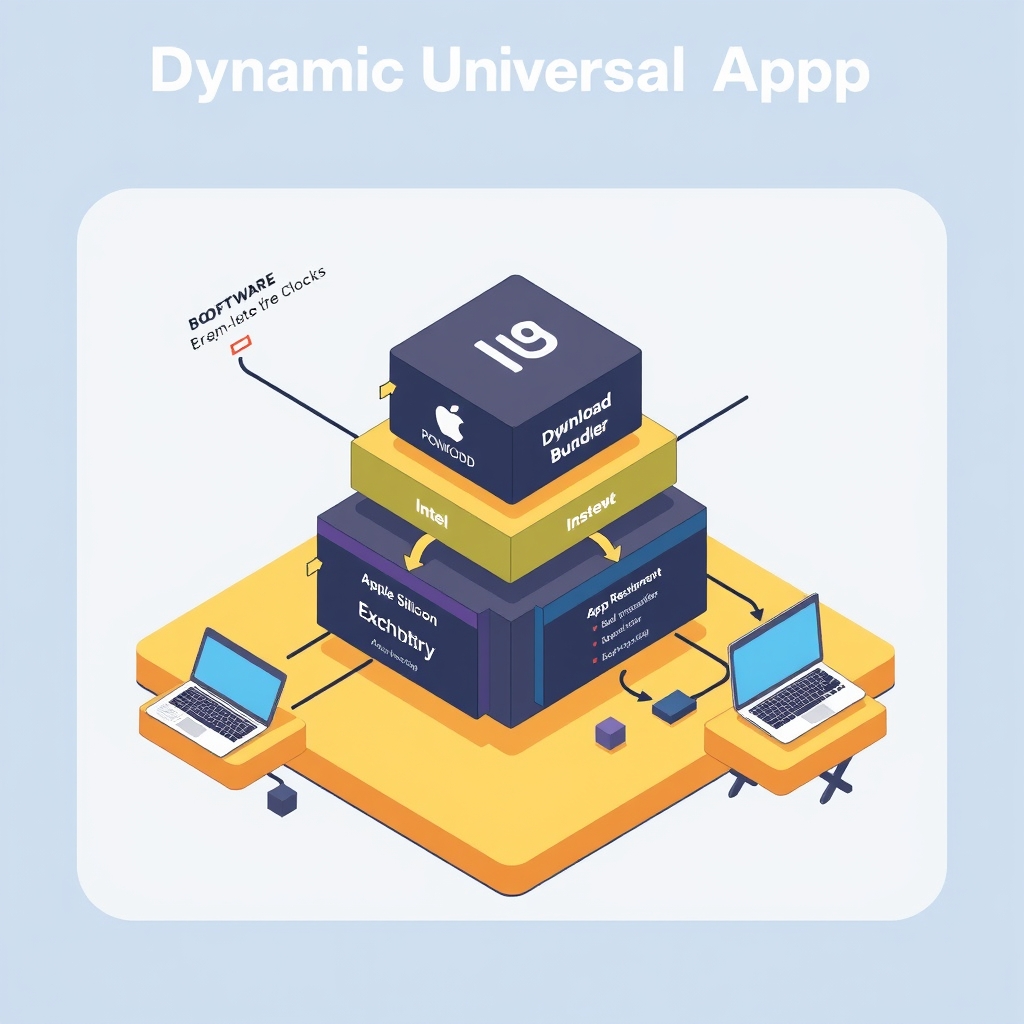
The diagram (inserted automatically under “The Bootstrap Request and Self‑Replacement Path”) captures the streamlined flow: a tiny stub, a signed manifest, chunked download, and a persistent cache that eliminates repeat network hops.
Why this matters for a startup
- Cost – Bandwidth savings scale linearly with user count. If you have 10 k users, each saving ~30 MB, you shave ~300 GB of monthly egress.
- Speed – Returning users experience sub‑second launches because the stub skips the network entirely.
- Security – A signed manifest plus per‑chunk signatures give a clear, auditable trust chain without the complexity of full‑binary notarization on the client.
- Maintainability – Only two moving parts (manifest + architecture payloads) need CI pipelines; the bootstrap remains a static artifact that only changes when you upgrade the signing key.
In short, the DUA concept is a solid foundation, but by stripping the bootstrap, caching architecture metadata, and adding a signed manifest, you can achieve a leaner, more robust distribution pipeline that still delivers the promised bandwidth efficiency.
Related reading
- Standardizing Agentic Java Workflows with Alibaba's Open-Source Stack
- Walmart: Orchestrating Hybrid Infrastructure Across Distributed Retail Sites
Sources
- Error: Page Not Found
- Error: Page Not Found
- Tag: Engineering | Figma Blog
- figma/dynamic-universal-app README
- figma/architecture-diagram-components README
- figma/plugin-samples README
- figma/sds README
- Figma
Image credits
- Cover: AI-generated illustration