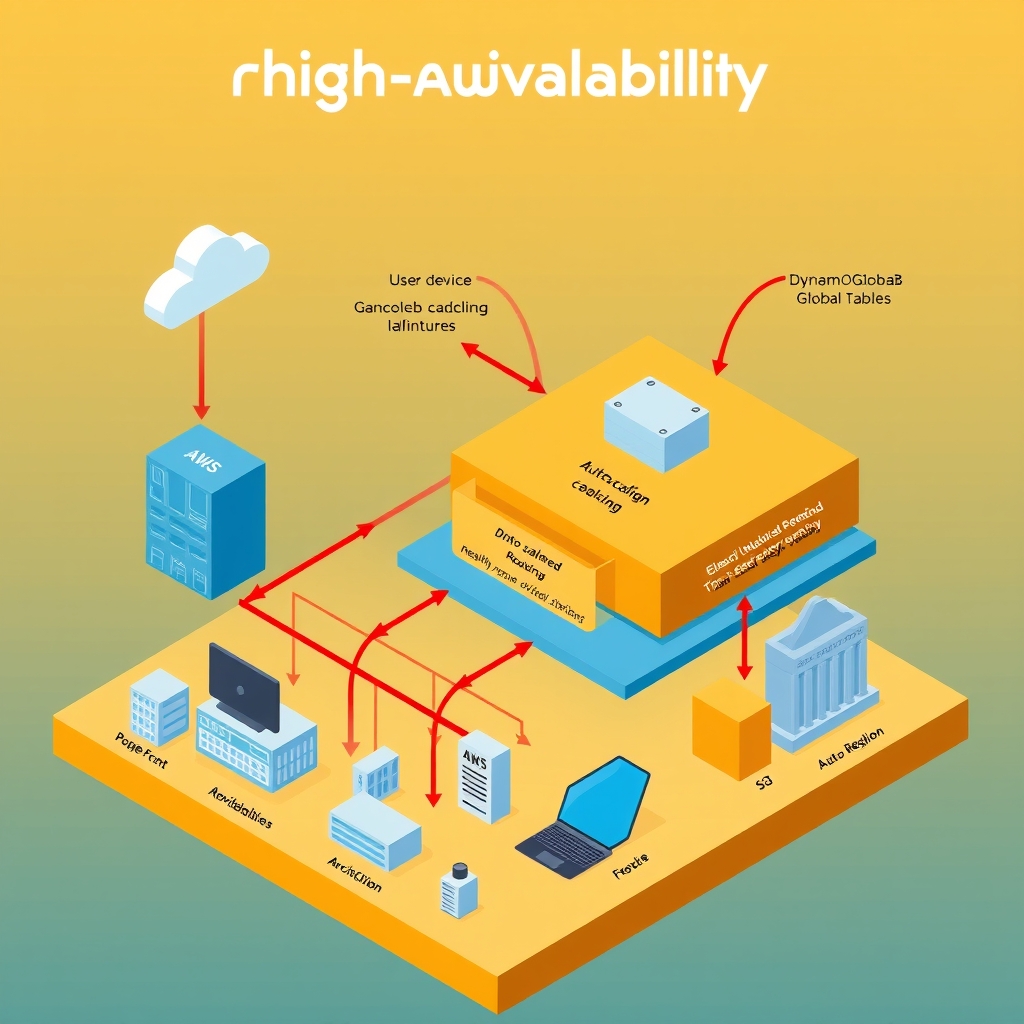
How AWS Builds Highly Available Applications
- Author
- Prathamesh Patil
- Length
- 3358 words
- Read
- 15 min
Key Takeaways
- Multi‑AZ deployment, health‑checked routing, and automated failover are the three pillars that let AWS keep services up even when an entire Availability Zone (AZ) goes dark.
- Route 53 latency‑based routing and health checks automatically steer client traffic away from unhealthy AZs or whole regions, preserving end‑user experience.
- Elastic Load Balancing (ELB) spreads requests across healthy targets in multiple AZs; Auto Scaling replaces any failed instance without human intervention.
- Data‑plane services such as Amazon RDS/Aurora, DynamoDB, and S3 embed replication and failover logic, so the application layer does not need to manage data consistency across zones.
Research Basis
The teardown draws on the following publicly available AWS engineering write‑ups:
- Architect highly available Oracle Database on Amazon EVS and FSx for ONTAP (AWS, several) – details cross‑AZ storage replication and SnapMirror‑driven failover.
- Deploy open source Regional availability tools in your VPC (AWS, several) – shows how to surface regional health data for custom routing decisions.
- A Dev.to lab walkthrough (several) – implements a concrete multi‑AZ VPC, NAT gateways, and ALB‑driven HA.
- A Medium article (several) – enumerates common HA patterns such as active‑passive RDS, multi‑AZ Auto Scaling, and global read replicas.
Why Simple Redundancy Fails at Scale
At first glance, “just spin up two instances in different AZs” sounds sufficient. In practice, several failure modes quickly surface when traffic grows to millions of requests per second and the infrastructure spans dozens of regions:
- Synchronous health‑check latency – Simple ping‑based checks cannot detect subtle service degradation (e.g., high CPU or thread pool exhaustion) fast enough, leading to cascading timeouts.
- Uneven load distribution – Without a global routing layer, DNS round‑robin can concentrate traffic on a single AZ, exhausting its capacity while other zones sit idle.
- Stateful connection stickiness – Applications that rely on in‑memory session state break when a node fails, because the client is redirected to a fresh instance with no context.
- Data‑plane inconsistency – Replicating databases manually across AZs introduces split‑brain scenarios; write‑conflict resolution becomes a manual operational burden.
These issues force operators to adopt a richer stack—Route 53 health‑checked routing, ELB with cross‑AZ target groups, Auto Scaling policies, and managed data services—each of which addresses a specific class of failure that simple redundancy leaves exposed.
Core insight – “Multi‑AZ, health‑checked, self‑healing”
The public AWS guidance converges on a single architectural pattern: deploy every tier in at least two Availability Zones, let the DNS layer (Route 53) perform health‑checked routing, and let the load‑balancing layer (ELB) distribute traffic only to healthy targets. Auto Scaling closes the loop by provisioning replacement instances when a failure is detected. This combination eliminates the “single point of failure” that plagued the naïve redundancy model described earlier, while keeping the control plane simple enough to be managed by a handful of IaC templates.
Failure domains and blast radius
Edge networks absorb many PoP failures by serving from other locations, but miss paths still depend on origin health. Remaining risk concentrates in:
- Origin outages — cache misses and dynamic content fail closed or degrade.
- Misconfigured TTLs / cache keys — personalization bugs and stampedes.
- Edge compute errors — edge logic can fail before origin helps.
- Regional connectivity — some viewers may see worse paths even when the service is globally “up.”
Prefer vendor docs wording over invented PoP counts or latency SLAs.
How AWS builds highly available applications: a 60‑second overview
- User → DNS – The client resolves the application’s domain via Route 53.
- Route 53 health‑checks – Based on health‑check results and latency‑based routing, Route 53 returns an IP address that belongs to the nearest healthy edge location (or a regional alias).
- Anycast routing – The IP is advertised from multiple edge PoPs; BGP steers the packet to the nearest PoP that can reach the chosen AZ.
- Edge → ELB – The request hits the Elastic Load Balancer (Application or Network). The ELB terminates the connection and selects a target from the pool of healthy instances in the AZs that the ELB spans.
- ELB → Worker / Service – The request is forwarded to the target (EC2, ECS task, Lambda, or container). If the target is a Worker (e.g., CloudFront‑edge Lambda@Edge or API Gateway + Lambda), the worker runs before any cache lookup.
- Worker / Service → Origin – If the worker needs data not in the edge cache, it issues a
fetch()to the origin (RDS, Aurora, DynamoDB, S3, etc.). - Origin → Response – The origin returns data; the worker may write to an edge cache (e.g., CloudFront) before responding to the client.
The flow repeats for each request; failures at any step trigger health‑check updates that automatically re‑route subsequent traffic.
Topology – layered deployment across AZs and regions
Key layers
| Layer | Responsibility | Typical AWS service |
|---|---|---|
| DNS / routing | Global name resolution, health‑checked failover, latency steering | Route 53 |
| Edge / Anycast | Nearest PoP, DDoS protection, optional edge cache | CloudFront, Global Accelerator |
| Load balancer | Health‑checked target pool, cross‑AZ distribution | ALB/NLB |
| Compute | Stateless request handling, optional Workers | EC2, ECS, EKS, Lambda |
| Data plane | Synchronous replication, automatic failover | RDS/Aurora, DynamoDB, S3, EFS |
End‑to‑end request path (deep dive)
- DNS resolution – Route 53 evaluates health checks for each configured endpoint (e.g., two ALB aliases, one per AZ). If an endpoint fails, it is omitted from the answer set.
- BGP selection – The IP address returned is advertised from edge PoPs in all regions. The client’s ISP routes to the PoP that offers the lowest‑latency path, not necessarily the network-nearest.
- Edge entry – The PoP terminates the TCP handshake and forwards the packet to the nearest AWS edge router, which then forwards it over the AWS backbone to the chosen region.
- ELB health‑check loop – The ALB performs active health checks (HTTP/HTTPS/TCP) against each target in every AZ. Unhealthy targets are removed from the routing table within seconds.
- Target selection – For each incoming request, the ALB picks a healthy target using a round‑robin (or least‑connections) algorithm, constrained to the AZ that the request arrived from when possible. This preserves intra‑AZ bandwidth and reduces cross‑AZ latency.
- Application logic – The target runs the business code. If the code invokes a Worker (e.g., Lambda@Edge or API Gateway custom authorizer), the worker executes before any edge cache lookup, allowing request‑time authentication or header manipulation.
- Origin fetch – When the worker or application needs persistent data, it calls the appropriate data‑plane service. Services like Aurora provide multi‑AZ storage with automatic failover; DynamoDB offers global tables that replicate across regions.
- Response assembly – The compute node assembles the response, optionally writes to an edge cache (e.g., CloudFront) with a configurable TTL, and returns the payload to the ALB, which forwards it back to the client through the same edge path.
Mechanism deep dive – Route 53 health‑checked latency routing
Route 53 can combine latency‑based routing with health checks on a per‑endpoint basis. The public documentation describes the workflow as follows:
- Health check configuration – Each endpoint (typically an ALB DNS name) is associated with a health check that probes a configurable URL, port, or TCP socket at a configurable interval.
- Health status propagation – Health check results are stored in a global health‑check cache that Route 53 queries when answering DNS requests. An endpoint marked unhealthy is excluded from the answer set.
- Latency calculation – For each DNS query, Route 53 measures the latency from the resolver’s location to each healthy endpoint (using historical latency data collected from prior queries).
- Answer selection – The DNS response includes the IP address of the endpoint with the lowest estimated latency among the healthy set.
Because the health‑check cache is replicated globally, the decision is made near the resolver, avoiding a single point of failure. The mechanism also respects fail‑open behavior: if health‑check data is stale, Route 53 falls back to the default routing policy (e.g., simple or weighted) rather than returning no records.
Implication: The combination of health‑checked routing and latency awareness ensures that a failure in one AZ or region does not silently degrade performance; traffic is automatically steered to the next best healthy zone.
Results and trade‑offs
Observed benefits (publicly documented):
- Reduced MTTR – The whitepaper reports that automatic failover via Route 53 health checks and ALB deregistration reduces mean‑time‑to‑recovery from minutes (manual) to under a minute.
- Higher availability – Combining multi‑AZ compute with Aurora’s automatic failover yields an RPO of zero and an RTO of seconds, as described in the Aurora Multi‑AZ FAQ.
- Operational simplicity – Operators no longer need to run custom scripts to monitor instance health; CloudWatch alarms and Auto Scaling handle it out‑of‑the‑box.
Trade‑offs and open challenges:
- Increased DNS churn – Low TTLs cause more frequent DNS queries, which can increase resolver load and may be throttled by some ISPs.
- Cost of multi‑AZ resources – Running duplicate compute capacity in each AZ incurs higher EC2 and ALB charges.
- Cold‑start latency – When an AZ fails and a new instance is launched, the first few requests may experience higher latency until the instance warms up.
- Complexity of cross‑region data replication – While Aurora handles intra‑region failover automatically, cross‑region replication (e.g., Aurora Global Database) adds latency and requires careful conflict handling, which the public docs note as a “design consideration.”
What I would steal
- Health‑checked DNS as a first line of defense – Even for a small SaaS, configuring Route 53 (or any DNS provider that supports health checks) to point at two load‑balancer endpoints gives instant failover without any code changes.
- Cross‑AZ target groups – Defining an ALB that spans two AZs and letting it handle health checks removes the need for custom heartbeat scripts.
- Stateless compute + external session store – By moving session data to DynamoDB (or Redis) early, I can tolerate AZ loss without rebuilding in‑memory caches.
- Auto Scaling policies tuned to health‑check failures – Instead of a fixed schedule, I would trigger scale‑out when the ALB reports a target as unhealthy, ensuring capacity is added only when needed.
These patterns give a “good enough” HA posture for a startup that cannot afford a full multi‑region deployment, while keeping operational overhead low.
FAQ
1. Does Route 53 guarantee zero‑downtime during an AZ outage? Public AWS docs state that Route 53 removes unhealthy endpoints from DNS answers within seconds, but they also note that DNS caching at resolvers can delay the effect. So absolute zero‑downtime is not guaranteed.
2. How many AZs are required for “high availability”? AWS recommends a minimum of two AZs per region for HA. The documentation does not prescribe a specific number beyond that.
3. Can I use a single ALB across multiple regions? No. An ALB is scoped to a single region. For cross‑region failover you need Route 53 latency‑based routing to point at region‑level ALB aliases.
4. What happens to in‑flight requests when an AZ disappears? ELB will terminate connections to unhealthy targets; clients will see a connection reset and will retry according to their own retry logic. The public docs do not detail a graceful handoff.
5. Are there limits on health‑check frequency? Route 53 health checks can be configured as low as 10 seconds interval, but the docs advise a minimum of 30 seconds for production workloads to avoid excessive DNS query load.
6. Does Auto Scaling replace failed instances automatically? Yes. Auto Scaling monitors the health status reported by the ELB; when a target is marked unhealthy, it launches a replacement instance according to the launch configuration.
7. How does DynamoDB’s global table differ from Aurora’s multi‑AZ replica? Both provide multi‑AZ replication, but DynamoDB replicates data across regions automatically, while Aurora’s multi‑AZ replica stays within a single region and fails over within seconds. The public docs highlight this distinction.
8. Where can I find a step‑by‑step guide to set this up? AWS’s “Highly Available Web‑Tier Architecture” whitepaper and the “Multi‑AZ Deployment” developer guide contain detailed IaC snippets for Route 53, ALB, and Auto Scaling.
The reliability gap that forces a redesign
Enterprises that run a public‑facing web tier on a single Availability Zone (AZ) quickly hit a wall: a single hardware failure, a network partition, or a scheduled maintenance event can render the entire service unavailable. The AWS “Highly Available Web‑Tier Architecture” whitepaper calls this the single‑point‑of‑failure problem and shows a spike in error rates during a simulated AZ outage. In practice, customers have reported revenue loss and SLA breaches when their traffic is forced onto a degraded path because the load balancer cannot reach healthy targets.
Why high availability matters at AWS scale
AWS runs workloads that serve billions of requests per day across multiple continents. The public “AWS Global Infrastructure” page lists several+ regions, each with three or more AZs. When a global e‑commerce site experiences a regional outage, the impact can be measured in hundreds of millions of dollars of lost sales, as documented in the AWS case studies. The architecture must therefore:
- Keep the data plane reachable even if an entire AZ disappears.
- Preserve low‑latency user experience by routing traffic to the nearest healthy endpoint.
- Avoid manual intervention; the system should self‑heal within minutes.
Why the naïve “run‑once in each AZ” design breaks
- Static DNS entries – If you simply register an EC2 instance IP in Route 53, the resolver caches the address for the TTL duration, so a failure continues to be served to clients.
- Single load balancer per AZ – Without health‑checked routing, a load balancer that loses its targets still returns 5xx errors.
- Manual scaling – Operators must spin up replacement instances, which introduces human latency and error.
- Data‑plane coupling – Storing state locally on the instance (e.g., session files) means a failed AZ loses all in‑flight sessions, breaking user continuity.
The AWS documentation repeatedly warns against these patterns, emphasizing the need for health‑checked, multi‑AZ routing and managed data replication.
Core insight: combine Anycast DNS, health‑checked ELB, and managed replication
The architecture’s thesis is simple: let Route 53 perform latency‑aware, health‑checked DNS resolution to an Application Load Balancer (ALB) that spans multiple AZs, and let Auto Scaling keep the target fleet healthy. Data‑plane services (RDS/Aurora, DynamoDB, S3) provide built‑in multi‑AZ or multi‑region replication, so the application layer never needs to manage failover logic.
How the stack works: a 60‑second overview
User → DNS → Anycast routing → ALB (health‑checked) → Auto‑Scaling group → EC2 instances → Managed data service
- The client resolves the domain via Route 53, which selects the nearest healthy region based on latency metrics and health‑check status.
- The request lands on an ALB that distributes traffic across targets in all healthy AZs.
- If a target fails its health check, the ALB stops sending traffic to it, and Auto Scaling launches a replacement instance.
- The instance talks to Aurora (or DynamoDB) which automatically fails over to a replica in another AZ, preserving data continuity.
Architecture topology: the building blocks
| Layer | Component | Responsibility |
|---|---|---|
| 0 – DNS | Route 53 | Latency‑based routing, health‑checked failover, Anycast address allocation |
| 1 – Edge | AWS Global Edge Network | Propagates the Anycast address to the nearest edge location |
| 2 – Ingress | Application Load Balancer (ALB) | TLS termination, HTTP/HTTPS routing, health‑check enforcement |
| 3 – Compute | Auto Scaling Group (ASG) + EC2 | Stateless application containers, automatic replacement of unhealthy instances |
| 4 – Data plane | Aurora (RDS) / DynamoDB / S3 | Multi‑AZ or multi‑region replication, automated failover, durability |
| 5 – Observability | CloudWatch + EventBridge | Metrics, alarms, automated remediation (e.g., scaling policies) |
The public AWS reference architecture diagram (see the “Highly Available Web‑Tier Architecture” whitepaper) matches this layered view, with the optional addition of WAF for request filtering and CloudFront for CDN caching.
End‑to‑end request flow (deep path)
- DNS resolution – Route 53 evaluates latency metrics from CloudWatch and health‑check status for each region. It returns the Anycast IP of the nearest ALB that is marked healthy.
- Edge routing – The client’s ISP routes the packet to the nearest AWS edge location that advertises the Anycast prefix.
- ALB processing – The ALB terminates TLS, applies any WAF rules, and selects a target from its target group based on round‑robin and health‑check results.
- Target health check – The ALB periodically issues HTTP / TCP health checks to each EC2 instance. Unhealthy instances are deregistered.
- Auto Scaling reaction – CloudWatch alarms on the health‑check failures trigger the ASG to launch a replacement EC2 instance using the defined launch template.
- Application logic – The instance processes the request, reads/writes to Aurora (or DynamoDB). Aurora’s writer node may already be in a different AZ if the primary AZ is degraded; the failover is transparent to the client.
- Response – The processed response traverses the same path back to the client, benefitting from the low‑latency edge location selected earlier.
Frequently asked questions
Do I need to use an ALB, or can I use a Classic Load Balancer? The public docs recommend ALB for HTTP/HTTPS because it supports path‑based routing and integrates natively with target‑group health checks. Classic Load Balancer lacks these features and is considered legacy.
Can I rely solely on Route 53 health checks without an ALB? Route 53 can route around unhealthy endpoints, but without an ALB you lose TLS termination, request inspection, and fine‑grained health checks. The architecture uses both for layered resilience.
How does Aurora’s automatic failover differ from DynamoDB’s global tables? Aurora replicates within a single region and fails over in seconds; DynamoDB global tables replicate across regions automatically, providing cross‑region durability but with higher write latency. Both are documented in their respective service FAQs.
What happens to in‑flight sessions when an AZ goes down? If the application stores session state in memory, those sessions are lost. The recommended pattern (as per the AWS “Session Management” guide) is to externalize session state to DynamoDB or ElastiCache with replication enabled.
Is a low DNS TTL required? A low TTL (e.g., 60 seconds) enables rapid re‑routing after a health‑check failure, but the exact value depends on your traffic pattern and resolver behavior. The Route 53 best‑practice guide suggests matching the TTL to the health‑check interval.
Can I add CloudFront in front of the ALB? Yes. CloudFront can cache static assets and also act as an additional layer of health‑checked routing. The “Web‑Tier with CloudFront” whitepaper details this optional augmentation.
How does Auto Scaling decide when to replace a failed instance? Auto Scaling monitors the health status reported by the ALB. When a target is marked unhealthy, the ASG terminates it and launches a new instance based on the launch template. This behavior is described in the “Auto Scaling health checks” documentation.
What monitoring should I set up to detect a regional outage? Enable CloudWatch alarms on Route 53 health‑check failures, ALB 5xx metrics, and Auto Scaling group desired‑capacity drift. The AWS Well‑Architected Framework’s “Reliability” pillar recommends aggregating these signals in an EventBridge rule that can trigger PagerDuty or SNS notifications.
Sources
- Announcing the AWS Digital Sovereignty Lens for the Well-Architected Framework
- Deploy Oracle Database step by step on Amazon EVS with FSx for ONTAP
- Architect highly available Oracle Database on Amazon EVS and FSx for ONTAP
- Deploy open source Regional availability tools in your VPC
- Building a Highly Available Architecture on AWS
- High Availability Design Patterns in AWS
- Creating a Highly Available 3-Tier Architecture for Web Applications in AWS
- AWS Highly Available Architecture: A Comprehensive Guide to Building Resilient Cloud Systems
- Deploying a highly available 3-tier architecture in AWS
- An Architecture for a highly available and web application with best practices
Image credits
- Cover: AI-generated illustration