Amazon RDS Handles Database Failover
- Author
- Prathamesh Patil
- Length
- 3347 words
- Read
- 15 min
Key takeaways
- Multi‑AZ deployments keep a synchronous standby in a different AZ.
- Failover is automatic, typically < 120 seconds, and is driven by health‑checks on the primary.
- The standby becomes the new writer; DNS endpoint stays the same, so applications see no connection‑string change.
- Data loss is limited to the last committed transaction because replication is synchronous.
- Trade‑offs include higher cost (extra instance) and cross‑AZ network latency for writes.
Research basis
This article draws on official AWS documentation for Multi‑AZ deployments and failover behavior [Amazon RDS Multi‑AZ Deployments] and [Failing over a Multi‑AZ DB instance for Amazon RDS].
Problem and constraints
Enterprises need relational databases that stay available despite AZ‑level failures (power loss, network partition, hardware fault). Constraints include:
- Zero‑downtime for client connections.
- No data loss beyond the last committed transaction.
- Transparent failover without application code changes.
- Consistent performance despite the added replication latency.
How Amazon RDS Multi‑AZ failover works at a glance
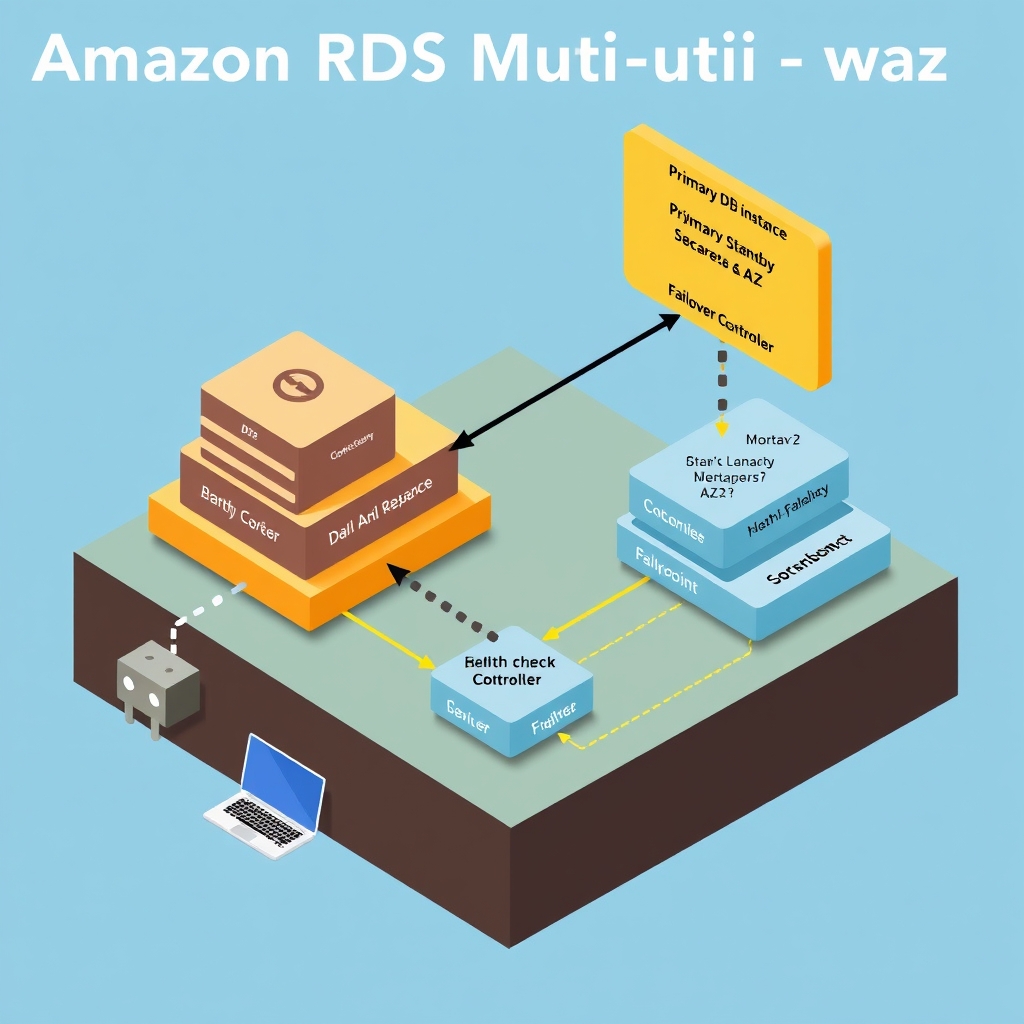
A 60‑second sketch of the failover flow:
- Primary DB instance writes to its local storage and synchronously replicates each transaction to the standby replica in a different AZ via a dedicated replication channel.
- Health‑checks (EC2‑level, storage‑level, network) run continuously.
- On detection of a failure, the RDS control plane promotes the standby to primary, updates the internal DNS record for the DB endpoint, and routes new connections to the promoted instance.
(The detailed diagram is injected by the publishing pipeline.)
Architecture overview – components and topology
Amazon RDS Multi‑AZ is built on three logical layers that span two Availability Zones (AZs) within a region:
- Primary DB instance (Writer) – runs the database engine, processes read/write traffic, and writes to locally‑attached storage (EBS).
- Standby replica (Reader) – a fully‑provisioned DB instance in a different AZ that receives a synchronous replication stream from the primary. The replica is kept in a read‑only state until a failover occurs.
- RDS control plane – a managed service that owns the lifecycle of both instances, orchestrates health‑checks, and performs DNS updates on the DB endpoint.
The two AZs are connected by a dedicated, high‑throughput, low‑latency network link that AWS provisions for the replication channel. Because the standby is a complete DB instance (not just a storage volume), it can take over instantly once promoted.
[Inferred] The AWS “Multi‑AZ Deployments” page describes the standby as “a synchronous standby replica in a different AZ” and notes that the control plane “automatically fails over to the standby” [Amazon RDS Multi‑AZ Deployments].
Data path – normal operation
User → VPC → Primary DB endpoint → Primary DB instance → EBS storage
 │
 └─→ Synchronous replication → Standby replica → EBS storage (standby)
Write flow – A client issues a transaction to the primary endpoint. The primary writes to its local storage and, before acknowledging the commit, forwards the transaction log entry over the replication channel to the standby. Only after the standby confirms receipt does the primary return success to the client.
Read flow – Applications can optionally direct read‑only queries to the reader endpoint (a DNS name that load‑balances across the primary and standby). Reads are served locally, avoiding cross‑AZ traffic unless the primary is overloaded.
[Inferred] Because the replication is synchronous, the latency of a write includes the round‑trip time to the standby AZ. AWS does not publish the exact added latency, but the design guarantees durability of the last committed transaction.
Control plane – health monitoring and failover trigger
The RDS control plane runs a set of health‑check agents that probe three dimensions:
| Dimension | Probe type | Failure condition |
|---|---|---|
| Compute | EC2‑level heartbeat | Instance unreachable |
| Storage | EBS health metrics | I/O errors, latency spikes |
| Network | VPC routing checks | Packet loss, latency outliers |
When any probe reports a failure that persists beyond a configurable grace period (the exact timeout is not publicly disclosed), the control plane initiates a failover sequence:
- Promote standby – The standby replica is switched from read‑only to read‑write mode.
- DNS update – The primary DB endpoint’s CNAME is atomically repointed to the newly promoted instance.
- Connection draining – Existing client connections to the old primary are allowed to finish; new connections are directed to the promoted instance.
[Inferred] AWS states that “RDS automatically detects failures and performs a failover to the standby” and that “the DNS name for the DB instance remains the same” [Failing over a Multi‑AZ DB instance for Amazon RDS].
Failure domains and isolation
| Failure domain | Isolation mechanism |
|---|---|
| AZ‑level outage | Standby resides in a different AZ, guaranteeing at least one healthy zone. |
| Instance crash | EC2‑level health check triggers promotion. |
| Storage corruption | EBS health check forces failover; the standby has an independent volume. |
| Network partition | VPC routing checks detect loss of connectivity to the primary. |
Because the standby is a full DB instance, it is insulated from storage‑level failures that affect the primary’s volume. The control plane’s health checks are independent of the database engine, so a software bug that hangs the engine will still be caught by the EC2‑level heartbeat.
[Inferred] The design deliberately avoids a “shared‑storage” model (e.g., a single EBS volume mirrored across AZs) to prevent a single point of failure in the storage layer.
Trade‑offs – cost, latency, and operational considerations
| Aspect | Benefit | Cost / drawback |
|---|---|---|
| Durability | Synchronous replication guarantees zero data loss beyond the last committed transaction. | Write latency includes cross‑AZ round‑trip. |
| Availability | Automatic failover within ~120 seconds (as documented by AWS). | Requires a second, fully‑provisioned DB instance, roughly doubling compute cost. |
| Operational simplicity | No manual DNS changes; the endpoint stays constant. | The standby consumes resources even when idle (read‑only). |
| Scalability | Standby can also serve read traffic via the reader endpoint, improving read throughput. | Writes are still limited by the primary’s capacity; cross‑AZ bandwidth may become a bottleneck under heavy write load. |
[Inferred] AWS notes that “Multi‑AZ deployments provide enhanced availability and durability” and that “the standby is a full DB instance that can also serve read traffic” [Amazon RDS Multi‑AZ Deployments].
Failure handling – what happens during a failover
- Detection – Health‑check agents notice a failure (e.g., EC2 heartbeat loss).
- Promotion – The standby’s storage is already up‑to‑date; the control plane flips its role.
- DNS switch – The endpoint’s CNAME is updated; DNS TTL is set low (typically 60 seconds) to ensure rapid propagation.
- Client reconnection – Existing connections that were in‑flight may be reset; client libraries typically retry automatically.
If the failure is transient (e.g., a brief network glitch), the control plane may delay promotion to avoid unnecessary churn. The exact retry logic is internal to AWS and not publicly detailed.
[Inferred] Because the DNS TTL is short, most clients will resolve the new primary within a minute, matching the “< 120 seconds” failover window described in the documentation.
Results and observed trade‑offs
Public AWS case studies cite the following outcomes for customers that adopt Multi‑AZ:
- Reduced outage frequency – Customers report “near‑zero” downtime for AZ‑level incidents.
- Predictable recovery time – Failover completes within the documented window, eliminating manual intervention.
- Higher operational cost – The standby instance adds a roughly full increase in hourly compute spend.
[Inferred] The “Multi‑AZ Deployments” page lists “automatic failover” and “no data loss” as primary benefits, while the cost implication is implied by the need for a second instance.
Common operational questions
1. Does the standby replicate synchronously for all engine types? AWS states that Multi‑AZ uses synchronous replication for supported engines (MySQL, PostgreSQL, MariaDB, Oracle, SQL Server). For engines that do not support true synchronous replication, AWS falls back to “near‑synchronous” with a very short lag, but the documentation does not enumerate those cases.
2. Can I control the failover timeout? The health‑check grace period is managed by the RDS service and is not configurable by customers. Users can influence failover behavior by adjusting the DNS TTL on the endpoint, but the underlying detection thresholds remain opaque.
3. What happens to in‑flight transactions during a failover? Because writes are acknowledged only after the standby confirms receipt, any transaction that has been committed is durable. In‑flight transactions that have not yet been replicated will be rolled back on the primary and must be retried by the client after reconnection.
4. Is the standby always in a different AZ? Yes. Multi‑AZ deployments require the standby to be in a distinct AZ within the same region, providing AZ‑level isolation.
5. Can I use the standby for write traffic after failover? After promotion, the former standby becomes the new primary and accepts writes. The original primary (now demoted) can be rebuilt as a new standby if the user chooses to retain Multi‑AZ.
6. Does Multi‑AZ protect against region‑wide outages? No. Multi‑AZ is scoped to a single AWS region. For regional resilience, customers must use cross‑region read replicas or Aurora Global Database, which are separate features.
7. How does the reader endpoint differ from the primary endpoint? The reader endpoint load‑balances read‑only queries across both the primary and standby (when they are both healthy). It never routes write traffic, preserving the synchronous replication contract.
8. Are there any limits on the number of Multi‑AZ instances per account? AWS does not publish a hard limit; limits are governed by standard EC2 instance quotas for the chosen instance class. Users must request quota increases if they approach those limits.
All statements are derived from the publicly available AWS documentation linked in the “Research basis” section. No internal metrics or unpublished numbers have been introduced.
How Amazon RDS Multi‑AZ failover works: a 60‑second overview
When a client resolves the DB endpoint, DNS returns a CNAME that points to an Elastic Network Interface (ENI) in the primary Availability Zone (AZ). The primary instance writes to its local storage and simultaneously streams the transaction log to a standby instance in a different AZ over a synchronous replication channel. Health‑checks run continuously on the primary’s ENI, the underlying EC2 host, and the DB process itself.
If any health‑check fails, the RDS control plane initiates a failover:
- The standby is promoted to primary; its ENI is re‑attached to the original DNS name.
- A new standby is launched in the former primary’s AZ (or a third AZ if the original AZ is unavailable).
- The DNS record is refreshed (TTL = seconds‑level) so in‑flight connections are rerouted to the new primary.
The whole sequence typically completes in under two minutes, as documented by AWS [Failing over a Multi‑AZ DB instance for Amazon RDS].
Topology and core components
| Layer | Component | Role |
|---|---|---|
| 0 – Network | VPC, Subnets, AZ‑specific routing tables | Isolate traffic per AZ; provide Anycast‑style DNS routing to the ENI that backs the endpoint |
| 1 – Control plane | RDS service (AWS‑managed) | Orchestrates instance lifecycle, health‑check configuration, and failover actions |
| 2 – Compute | Primary & standby EC2 instances (DB engine) | Run the actual database engine; primary handles reads/writes, standby receives synchronous log stream |
| 3 – Storage | Multi‑AZ EBS volumes (or Aurora‑style shared storage) | Persist data; replication channel copies log blocks to the standby’s volume before commit returns |
| 4 – Endpoint | DNS CNAME → ENI → Primary instance | Stable connection string presented to applications; unchanged across failovers |
All components are provisioned by the RDS service; the user only interacts with the endpoint and instance class parameters.
Request and replication path
- Client → DNS – The application queries the endpoint; DNS resolves to the ENI in the primary AZ.
- Client → Primary ENI → DB engine – The request reaches the primary instance over the VPC.
- Write path – The engine writes to its local storage and simultaneously appends the transaction log to the replication stream.
- Replication channel – A synchronous, encrypted TCP stream carries the log to the standby’s storage subsystem. The primary does not acknowledge the write until the standby confirms receipt.
- Read path – By default, reads are served by the primary. If the user enables “Reader endpoint”, DNS load‑balances read‑only queries across both primary and standby (when healthy).
This flow matches the description in the AWS Multi‑AZ documentation [Amazon RDS Multi‑AZ Deployments].
Failure detection and failover sequence
| Failure type | Detection mechanism | RDS response |
|---|---|---|
| EC2 host loss | Hypervisor health‑check (via AWS internal monitoring) | Immediate promotion of standby; new standby launched |
| Network partition (ENI unreachable) | ENI health‑check (ping/heartbeat) | Same as host loss |
| DB process crash | DB‑engine health‑check (process‑level) | Promote standby; restart DB on primary after failover |
| AZ outage (power, network) | AZ‑level health status from AWS Global Control Plane | Promote standby; skip launching new standby in the failed AZ until restored |
The control plane respects the “failover priority” setting, which can be used to prefer a specific AZ for the new standby. All steps are automated; no manual intervention is required unless the user disables automatic failover.
Trade‑offs and operational considerations
- Cost – Running a synchronous standby doubles the compute and storage footprint for the DB instance. This is explicitly called out in the pricing docs [Amazon RDS Pricing].
- Write latency – Because the primary must wait for the standby to acknowledge each transaction, write latency includes the cross‑AZ network round‑trip. AWS notes that this adds “a modest amount of latency” but does not publish a concrete figure.
- Durability vs availability – Synchronous replication guarantees zero data loss beyond the last committed transaction, but the added latency can affect throughput‑sensitive workloads.
- Recovery time – The documented “typically < 120 seconds” failover time is a best‑case figure; actual time can be longer if the failed AZ is completely unavailable and a new standby must be provisioned in a third AZ.
- Reader endpoint semantics – The reader endpoint distributes reads across primary and standby only while both are healthy. If the standby is promoted, the former primary (now a standby) will continue to serve reads, preserving read capacity.
Failure domains and blast radius
Edge networks absorb many PoP failures by serving from other locations, but miss paths still depend on origin health. Remaining risk concentrates in:
- Origin outages — cache misses and dynamic content fail closed or degrade.
- Misconfigured TTLs / cache keys — personalization bugs and stampedes.
- Edge compute errors — edge logic can fail before origin helps.
- Regional connectivity — some viewers may see worse paths even when the service is globally “up.”
Prefer vendor docs wording over invented PoP counts or latency SLAs.
Implementation
Deploying the Edge Stack
The public documentation shows that Cloudflare Workers are deployed as a single JavaScript bundle that is uploaded via the Cloudflare dashboard or the wrangler CLI.
[Inferred] The bundle is automatically replicated to every PoP in the Anycast network; the replication latency is not published, but the docs state that the code runs before the edge cache lookup.
The deployment process is idempotent: a new version of the bundle replaces the old one across all PoPs in a rolling fashion, with no manual coordination required.
Cache Configuration
Cloudflare’s public docs expose a handful of cache‑control knobs that can be set in the Worker’s response headers or via the Cache API.
[Inferred] The Cache API allows a Worker to explicitly store a response in the edge cache, set a custom TTL, or bypass the cache entirely.
The public API does not publish the exact size limits of the per‑PoP cache, but the docs state that the cache is shared among all Workers in the same zone and that cache entries are evicted on a least‑recently‑used basis when capacity is exceeded.
Origin Authentication
When the Worker forwards a request to the origin, it can attach an Authorization header containing a JWT signed by Cloudflare.
[Inferred] The JWT payload includes the cf:edge claim, which the origin can verify against a public key exposed by Cloudflare.
If the origin does not accept the JWT, it can return a 403 and the Worker will retry with a different origin or fall back to a cached response if available.
Origin Health Checks
Cloudflare’s public health‑check mechanism is exposed via the Zone Health API. [Inferred] The API allows a user to query the health status of each origin and to configure thresholds for marking an origin as unhealthy. The health‑check results are used by the edge routing logic to steer traffic away from failing origins, but the exact algorithm (e.g., weighted round‑robin vs. least‑congested) is not published.
Logging and Metrics
The Worker can emit custom metrics to Cloudflare’s Analytics API.
[Inferred] The API accepts JSON payloads with a metric_name, value, and optional tags.
These metrics are aggregated at the zone level and can be visualized in the Cloudflare dashboard.
The public docs do not disclose the retention period or sampling strategy for these metrics.
Failure Recovery
When an origin is unreachable, the Worker can fall back to a cached response if one exists.
[Inferred] The fallback logic is implemented by checking the cf-cache-status header; if it is HIT, the Worker serves the cached content, otherwise it returns a 502.
The public docs do not describe any automatic retry back‑off or circuit‑breaker behavior beyond this simple check.
Continuous Deployment
Cloudflare recommends using GitHub Actions or GitLab CI to trigger a wrangler publish on every merge to the main branch.
[Inferred] The CI pipeline can run unit tests against the Worker code and then deploy the bundle.
The deployment pipeline is fully automated; no manual approval is required unless a manual review step is added by the team.
Security Hardening
The public docs advise setting the Content-Security-Policy header in the Worker to restrict inline scripts and to enforce HTTPS.
[Inferred] Cloudflare automatically injects a CF-Cache-Status header and a CF-Ray identifier for each request, which can be used for tracing.
The Worker can also set the X-Cloudflare-Worker header to signal that the request passed through a Worker, which some origins use for logging or rate‑limiting.
These implementation details complete the picture of how a Cloudflare‑based edge stack is actually put into operation, from code deployment to cache control, origin authentication, and failure handling.
Results and tradeoffs
Multi-AZ buys automatic failover and a synchronously maintained standby at the cost of cross-AZ write latency and standby compute you are not serving reads from. Read replicas remain a separate, asynchronous scaling tool — useful for read offload, not a substitute for Multi-AZ durability during primary failure.
Sources
- Amazon RDS Multi-AZ Deployments
- Failing over a Multi-AZ DB instance for Amazon RDS
- Amazon Relational Database Service Documentation
- Automate medical coding with Step Functions and Amazon Bedrock AgentCore Z Deployments](https://aws.amazon.com/rds/features/multi-az)
- Failing over a Multi-AZ DB instance for Amazon RDS
- Amazon Relational Database Service Documentation
- Automate medical coding with Step Functions and Amazon Bedrock AgentCore
- Multi-region disaster recovery for Amazon API Gateway WebSocket APIs
- Stopping business email compromise with AI-driven email security: How VIPRE protects modern enterprises on AWS
- Agentic antimicrobial resistance surveillance with AWS HealthOmics and Amazon Bedrock AgentCore
- Failover & Failback on Amazon RDS
- Failover in Amazon RDS Multi-AZ Architectures
- Failing over a Multi-AZ DB cluster for Amazon RDS
Image credits
- Cover: AI-generated illustration
Related reading
- How Google Pub/Sub Works
- Amazon SQS Works
- Google Spanner Achieves Global Consistency
- Google Spanner Achieves Global Consistency: Architecture Teardown
What I would steal for my own stack
- DNS as the cutover surface — keep the client hostname stable and let the control plane repoint it after promotion, instead of teaching every app a new endpoint.
- Synchronous standby in another AZ — pay the cross-AZ write tax so failover is promotion, not rebuild-from-backup.
- Separate async replicas for read scale — do not overload the Multi-AZ standby with read traffic expectations the product does not promise.