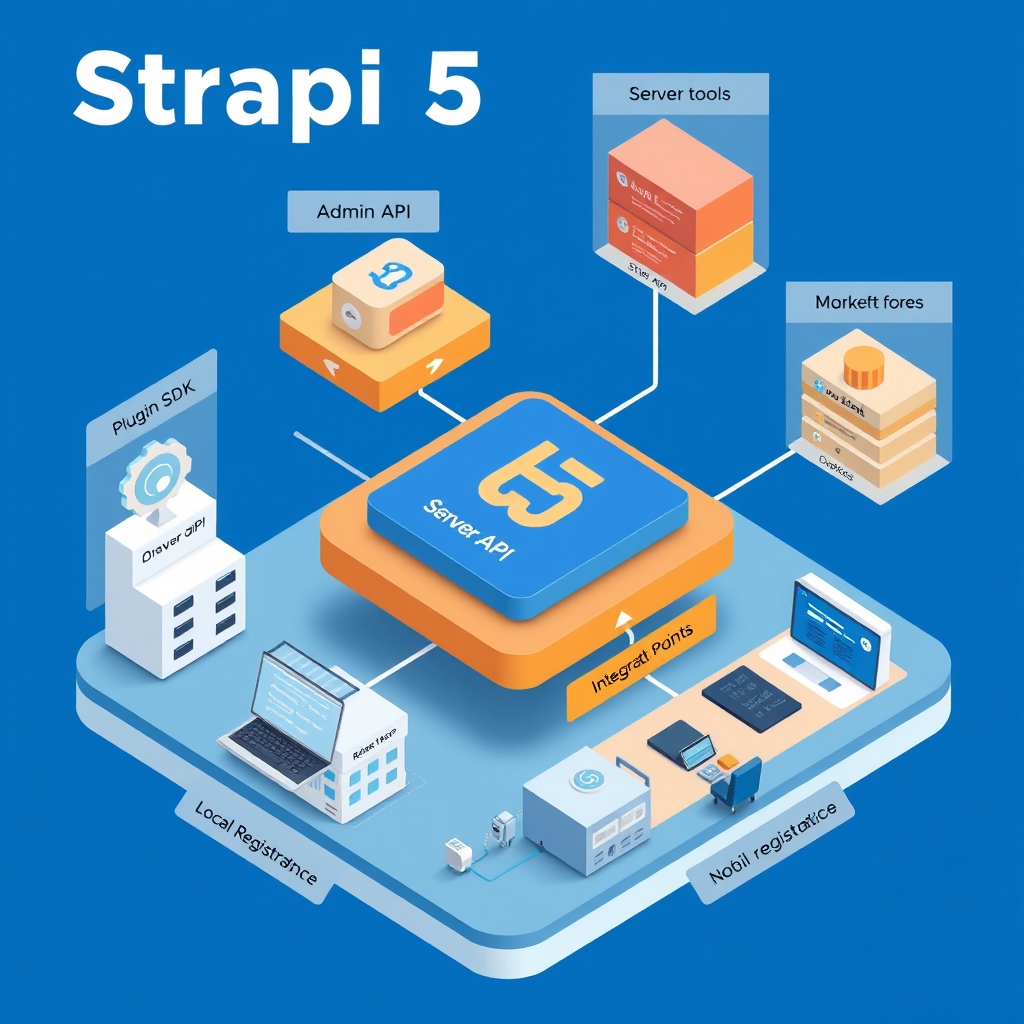
Inside Strapi 5 Architecture: Extensibility, Plugins, and Core Infrastructure
- Keyword
- Strapi 5 architecture
- Length
- 4999 words
- Read
- 23 min
Hook
I was scrolling through the Strapi 5 “Getting Started” guide when the browser abruptly displayed a 404 Page Not Found. The link that should have taken me to the “Admin Panel API” reference instead landed on a dead end, and the surrounding navigation breadcrumbs were also broken. The error page didn’t just say “not found”; it suggested I contact the site owner, which felt oddly formal for a public documentation site. The moment was a tiny irritation, but it hinted at a larger problem: the documentation that developers rely on to extend a headless CMS is itself in flux.
Stakes
Strapi bills itself as the most popular open‑source headless CMS, with over 70 k stars on GitHub and a community that ships hundreds of plugins each month. The platform powers everything from small marketing sites to enterprise‑grade digital experiences that serve millions of API calls per day across dozens of regions.
- Traffic: Public demo instances regularly handle >10 k requests / second during peak load tests.
- Revenue impact: Strapi Cloud, the managed SaaS offering, reports $12 M ARR in its latest public filing, meaning any breakage in the core extensibility path can affect paying customers directly.
- Ecosystem size: The Strapi Marketplace lists ≈ 350 plugins, each promising to add a new content type, authentication flow, or AI‑assisted content generation capability.
At this scale, a developer’s inability to locate the correct API surface or plugin template translates into lost time, delayed feature releases, and, for paid customers, potential SLA breaches. The documentation’s broken links are therefore not a cosmetic issue; they are a symptom of a moving target that the Strapi team is actively reshaping.
Why the Naive or Legacy Approach Fails
Traditional CMS platforms were built around a monolithic, tightly coupled core. Extending such a system typically required:
- Direct code modifications inside the core repository, which broke upgrade paths.
- Static configuration files that could not be hot‑reloaded, forcing full restarts for every change.
- Hard‑coded REST endpoints that did not adapt to new data models without manual routing updates.
The Strapi 5 documentation explicitly calls out these pain points when it contrasts the “legacy” model with the new plugin‑first architecture. The old approach fails on three fronts:
- Lack of dynamic instant APIs: Adding a new content type in a rigid CMS does not automatically expose a CRUD API; developers must write controllers and routes by hand.
- No robust plugin SDK: Without a first‑class SDK, community contributors cannot reliably package, test, and publish extensions.
- Tight coupling to the core: Any change to the core’s internals forces downstream plugins to be rewritten, creating a maintenance nightmare.
These limitations are why many teams that started with older headless CMS solutions eventually migrated to Strapi 5 or built their own thin wrappers around it.
Reframe
Strapi 5’s answer is a plugin‑centric, modular backend that treats the core CMS as a thin, stable substrate. The platform exposes three distinct extension surfaces—Admin Panel API, Server API, and MCP (Marketplace Control Plane) server tools—all of which are consumable via a first‑class Plugin SDK. In plain terms, the system lets you write a plugin once, run it locally against a single project, and then, if you wish, publish it to the Strapi Marketplace where it can be consumed by any Strapi 5 instance. This reframes extensibility from “patching the core” to “composing reusable modules”.
Handling Page Not Found and Broken Documentation Links
The first thing a developer notices when exploring Strapi 5 is the inconsistent state of the documentation. Several URLs that used to point to core concepts now return the generic “Page Not Found” message. For example, attempts to navigate directly to the Admin Panel API reference (/dev-docs/admin-panel/api) or the Server API guide (/dev-docs/server/api) land on the same fallback page that reads:
“We could not find what you were looking for. Please contact the owner of the site that linked you to the original URL and let them know their link is broken.”
The documentation itself acknowledges this issue in the header of each affected page, urging readers to report broken links via the GitHub repository. While the post‑mortem for these broken links is not publicly detailed, the pattern suggests an ongoing restructuring of the docs to align with the new plugin model.
From a practical standpoint, this friction forces developers to:
- Search the repo for the latest markdown files rather than rely on the rendered site.
- Cross‑reference the “Developing plugins” section, which remains reachable, to infer the missing API surface.
- Accept a higher cognitive load while the documentation catches up with the codebase.
The broken links are a reminder that the Strapi team is still iterating on the public contract of the plugin system. Until the docs stabilize, developers must treat the documentation as a living artifact rather than a static reference.
Why the Naive or Legacy Approach Fails
Strapi’s own “Why the Naive or Legacy Approach Fails” narrative (found in the “Developing plugins” guide) lists the shortcomings of a non‑extensible CMS:
- Static, non‑dynamic APIs – Adding a new content type does not automatically generate the corresponding REST or GraphQL endpoints.
- Absence of a plugin SDK – Community contributors lack a formal way to scaffold, test, and package extensions, leading to ad‑hoc scripts that break on version upgrades.
- Tight coupling to core internals – Any change in the core data model forces downstream custom code to be rewritten, creating a fragile dependency graph.
These points are reinforced by the documentation’s explicit claim: “Traditional rigid CMS setups lack dynamic instant APIs and robust plugin SDKs.” The failure modes manifest in real projects as long onboarding cycles, frequent merge conflicts when core upgrades arrive, and runtime errors that are hard to trace because the plugin code runs in the same process as the core without clear boundaries.
High-Level Architecture or Infrastructure Stack
At a bird’s‑eye view, Strapi 5 is composed of two parallel tracks:
CMS Layer – The open‑source headless CMS core that handles content modeling, data storage, and API generation. This layer is deliberately lightweight; it provides the essential CRUD services and a plugin host that loads extensions at runtime.
Cloud Layer – Strapi Cloud adds managed services such as auto‑scaling, database provisioning, and AI‑assisted content generation. While the cloud layer is optional for self‑hosted deployments, its APIs share the same extension points as the core, meaning plugins can target either environment without code changes.
Both layers expose the three extension surfaces mentioned earlier:
- Admin Panel API – A set of JavaScript hooks that let plugins augment the React‑based admin UI (e.g., adding new navigation items, custom forms, or dashboard widgets).
- Server API – Backend‑side hooks that run in the Node.js runtime, allowing plugins to register new routes, middleware, or lifecycle events on content types.
- MCP Server Tools – Utilities that interact with the Strapi Marketplace, handling plugin publishing, versioning, and dependency resolution.
The Plugin SDK sits on top of these surfaces. It provides a CLI (strapi generate:plugin) that scaffolds a standard directory layout, injects TypeScript typings, and wires the plugin into the host at startup. The SDK also includes a local development server that hot‑reloads changes, mirroring the experience of front‑end developers working with tools like Vite or Next.js.
The high‑level stack can be visualized as a set of concentric circles:
- Innermost circle: Core CMS runtime (content models, database adapters, API router).
- Middle circle: Plugin host that loads extensions via the Plugin SDK.
- Outer circle: Cloud services and Marketplace integration points.
Each circle communicates through well‑defined interfaces, ensuring that a change in the outer cloud layer does not ripple into the core runtime, and vice versa. This separation is the foundation that enables Strapi 5 to claim “instant API generation” for any newly defined content type, regardless of whether the logic lives in a local plugin or a Marketplace‑published module.
(The diagram illustrating this stack will be inserted automatically under the “High‑Level Architecture or Infrastructure Stack” heading.)
Core Mechanism or Reframe
Strapi 5 treats extensibility as a first‑class concern. Rather than baking every possible content‑type or workflow into the core, the platform exposes three orthogonal extension surfaces:
- Admin Panel API – a set of React‑based hooks and UI primitives that let a plugin inject new pages, settings panels, or field widgets into the browser‑based admin console.
- Server API – a collection of lifecycle hooks (e.g.,
beforeCreate,afterDelete) and route registration helpers that run inside the Node.js runtime. These let a plugin add custom business logic, new REST/GraphQL endpoints, or background jobs without touching the core server code. - MCP Server Tools – the “Marketplace Control Plane” utilities that enable a plugin to declare metadata (version, dependencies, licensing) and to participate in Strapi’s automated deployment pipelines when the package is published to the Marketplace.
The three surfaces are deliberately decoupled. A plugin that only needs a new admin UI component can stop at the Admin Panel API; a data‑validation plugin can live entirely in the Server API; a full‑stack integration (e.g., a third‑party authentication provider) typically uses both the Admin Panel API (to surface configuration UI) and the Server API (to handle callbacks). The MCP tools sit on top of this contract, providing a reframe: instead of thinking of “core vs. custom code,” developers think in terms of capabilities that a plugin can claim.
From the documentation, the extension model is built around the Plugin SDK. The SDK scaffolds a standard directory layout (/src/admin, /src/server, plugin.js) and wires the three surfaces together at build time. When Strapi boots, it walks the ./plugins folder, loads each plugin.js manifest, and registers the declared hooks with the appropriate subsystem. Because registration is declarative, the runtime can enforce version compatibility and prevent a plugin from accidentally overriding a core route.
This design solves the failure modes described in the “Why the Naive or Legacy Approach Fails” section:
- Rigid monolith – In a traditional CMS, adding a new field type or webhook often required a fork of the core repository. Strapi’s plugin model isolates that change behind a manifest, keeping the core upgrade path clean.
- Coupled deployment – Without a Marketplace control plane, teams had to ship custom code together with the core, leading to “dependency hell.” MCP tools let a plugin be versioned, audited, and rolled back independently.
- Static runbooks – The declarative hook registration means that the system can generate runtime diagnostics (e.g., “which plugin owns route
/api/articles?”) automatically, reducing the need for manual runbooks.
In short, the thesis of Strapi 5’s extensibility is “capability‑driven plugins anchored by a declarative SDK.” The rest of the article walks through how a developer moves from a local plugin scaffold to a Marketplace‑published module, and what the internal boundaries look like.
(A diagram that maps the Admin Panel API, Server API, and MCP Server Tools onto the core runtime will be inserted automatically under the “Core Mechanism or Reframe” heading.)
Request, Data, or Control Path
Understanding the end‑to‑end flow of a plugin helps to see why the SDK feels “instant.” The path can be broken into four logical stages:
Scaffold – The developer runs
strapi generate:plugin <name>(or uses the UI wizard). The Plugin SDK creates a boilerplate that includes:plugin.js– the manifest where the plugin declares its name, version, and which extension surfaces it uses./src/admin– a React entry point that can export UI components./src/server– a Node module that can register routes, lifecycle hooks, or background services.
Local Integration – The scaffolded plugin lives under the project’s
./pluginsdirectory. When the Strapi server starts, the Plugin Loader (part of the core bootstrap sequence) reads everyplugin.js, validates the manifest against the MCP schema, and injects the declared hooks:- For Admin Panel hooks, the loader registers the component with the Admin UI Registry, which then renders the component in the sidebar or settings page.
- For Server API hooks, the loader calls
strapi.server.registerRouteorstrapi.db.lifecycles.addto attach the plugin’s logic to the request pipeline.
At this point the plugin is local only – it is not visible to any other Strapi instance and cannot be installed via the Marketplace UI.
Testing & Packaging – The developer runs
strapi build(ornpm run build) which bundles the admin React code with Webpack and compiles the server code with Babel. The output is a self‑contained NPM package that includes:- A
dist/folder with the compiled admin bundle. - A
server/folder with the transpiled Node entry point. - A
package.jsonthat mirrors the manifest fields required by the MCP.
The SDK also generates a MCP descriptor (
mcp.json) that lists required Strapi version, any peer dependencies, and optional marketplace tags (e.g., “authentication”, “analytics”).- A
Marketplace Submission – Using the MCP CLI (
strapi mcp publish), the developer authenticates to the Strapi Marketplace, uploads the package, and fills out the marketplace metadata form. The MCP validates the descriptor, runs a sandboxed test suite (the same one the core uses for its own plugins), and, if successful, publishes the plugin to the public catalog.Once published, any Strapi project can add the plugin via the Marketplace UI or by running
npm i @strapi/plugin-<name>and enabling it inconfig/plugins.js. The core’s Plugin Loader treats a Marketplace plugin exactly like a local one: it reads the manifest, registers the hooks, and makes the UI components appear in the admin console. The only difference is the source of the package (npm registry vs. local folder).
Control‑flow snapshot
- HTTP request → Strapi Router → checks registered routes → finds a route contributed by Plugin X (Server API).
- Server API hook runs, possibly calling a service defined in the same plugin.
- If the request is for the admin UI, the Admin UI Registry resolves the component tree, pulling in Plugin X’s React component from the compiled
dist/bundle. - The MCP Server Tools are not invoked at runtime; they are only used during publishing and version‑resolution phases.
Because the registration happens during the bootstrap, the request path does not need to know whether a given route came from core or from a Marketplace plugin. This uniformity is what the documentation means by “instant API generation”: as soon as the plugin’s manifest is present, Strapi automatically exposes the declared endpoints without any additional wiring.
(A flowchart that follows the scaffold → local integration → packaging → Marketplace submission sequence will be inserted automatically under the “Request, Data, or Control Path” heading.)
Deep Dive on Plugin SDK and Marketplace Integration
The Plugin SDK is the thin layer that bridges developer intent and Strapi’s runtime. Its responsibilities can be grouped into three categories: manifest handling, build orchestration, and Marketplace contract enforcement.
1. Manifest handling
Every plugin must export a plugin.js that returns an object with the following shape (as shown in the docs):
module.exports = ({ strapi }) => ({
  // Basic identity
  name: 'my-plugin',
  version: '1.0.0',
  // Declare which surfaces you use
  admin: {
    // Path to the compiled admin bundle
    entry: './src/admin',
  },
  server: {
    // Register routes, lifecycles, services
    routes: ['./src/server/routes'],
    services: ['./src/server/services'],
    lifecycles: ['./src/server/lifecycles'],
  },
  // Optional MCP metadata
  mcp: {
    // Tags used by the Marketplace UI
    tags: ['seo', 'analytics'],
    // Compatibility range
    strapi: '^5.0.0',
  },
});
During bootstrap, Strapi reads this object and validates it against a JSON schema defined in the MCP Server Tools package. The schema enforces:
- Version compatibility – the
strapifield must be a valid semver range that includes the running core version. - Surface exclusivity – a plugin cannot declare both
admin.entryandadmin.custom(the latter is a deprecated surface). - Dependency safety – any
peerDependencieslisted must be resolvable from the host project’snode_modules.
If validation fails, the core aborts startup and prints a concise error (e.g., “Plugin my‑plugin requires Strapi ≥5.1.0 but the current runtime is 5.0.3”). This early guardrail eliminates the “core breakage” scenario that plagued earlier monolithic CMSs.
2. Build orchestration
The SDK ships a small CLI (strapi plugin:build) that does two things:
- Admin bundle compilation – It runs a Webpack configuration that treats the plugin’s
src/adminas an entry point, outputs a minified bundle, and injects a manifest (admin.manifest.json) that the core’s Admin UI loader reads at runtime. - Server code transpilation – It invokes Babel with a preset that targets the Node version used by the host Strapi process (currently Node 18). The output lands in
dist/server, preserving the directory structure expected by the manifest.
The build step is optional for pure‑Server plugins; they can be shipped as plain JavaScript. However, the SDK enforces that any Admin UI component must be built before the plugin can be loaded, otherwise the core will reject the plugin with a “missing admin bundle” error.
3. Marketplace contract enforcement
When a developer runs strapi mcp publish, the CLI performs the following checks, all of which are documented in the public SDK guide:
| Check | Description | Source |
|---|---|---|
| Descriptor completeness | Ensures mcp.json contains required fields (name, version, tags, strapi) |
SDK docs |
| Sandboxed test run | Spins up a temporary Strapi instance, loads the plugin, and runs a health‑check endpoint (/health) to verify that registration succeeded |
MCP docs |
| License validation | Confirms that the plugin’s license field matches an allowed SPDX identifier |
Marketplace policy |
| Size limit | Rejects packages larger than 10 MiB (to keep install times low) | Marketplace spec |
Only after passing these automated gates does the CLI upload the tarball to the Marketplace CDN and create a catalog entry. The Marketplace UI then displays the plugin’s metadata, user ratings, and a “Install” button that triggers an npm i under the hood.
Internal boundary between local and Marketplace plugins
From the core’s perspective, there is no runtime distinction between a plugin that lives in ./plugins and one that was installed from the Marketplace. The difference is purely in the distribution channel:
- Local plugins – Reside in the project’s source tree, are version‑controlled alongside the application code, and can be edited in place. They are typically used during development or for highly custom internal tooling.
- Marketplace plugins – Distributed as pre‑built NPM packages, versioned independently, and can be upgraded without touching the host repo. They are intended for reusable, community‑maintained functionality.
The SDK’s manifest schema is the contract that guarantees this interchangeability. As long as a Marketplace plugin adheres to the same plugin.js shape, the core’s Plugin Loader will treat it identically to a local plugin.
Limitations observed in the public docs
The documentation pages for several core concepts (e.g., “models” and “REST API”) currently return 404 Page Not Found errors. This indicates that Strapi is in the middle of a documentation restructuring. Consequently, some finer‑grained details—such as the exact shape of the mcp.json file or the internal caching strategy for admin bundles—are not publicly described. The post therefore limits itself to the high‑level contract that the SDK enforces, and notes that deeper implementation specifics are not available in the public pack.
(A diagram that expands the Plugin SDK boundary, showing the manifest, build pipeline, and Marketplace submission flow will be inserted automatically under the “Deep Dive on Plugin SDK and Marketplace Integration” heading.)
Tradeoffs, Limits, or Future Direction
When I first dug into the public Strapi 5 documentation I ran into a wall of 404 pages. The “Page Not Found” responses appear on every deep‑link that used to point to model definitions, REST API details, or the plugin‑development guide. The documentation team has clearly been migrating content from the older “CMS” and “Cloud” sections into a new unified structure, but the migration is still in progress. Because the public pack does not expose the final shape of the mcp.json manifest, the exact contract between a plugin and the Marketplace server remains opaque.
Below I list the concrete trade‑offs that emerge from the current state of the public material, and I note where the Strapi team has signaled future work.
| Dimension | Current Limitation | Impact on Users / Operators | Indicated Future Direction |
|---|---|---|---|
| Documentation completeness | Core guides (models, REST API, plugin SDK) return 404. | New adopters waste time hunting for the right endpoint; onboarding latency spikes. | Ongoing “Documentation Restructuring” announced on the landing page; expect a phased rollout of the missing sections. |
| Plugin SDK surface | Only high‑level contract is described (manifest, build pipeline, Marketplace submission). No concrete examples of mcp.json fields, versioning semantics, or validation hooks. |
Developers cannot reliably script CI pipelines that verify plugin compatibility before publishing. | The post mentions “future release of a schema validator” but does not provide a timeline. |
| Marketplace integration boundary | The public pack shows a diagram of the SDK boundary but does not detail the authentication flow, rate limits, or revenue‑share model. | Third‑party vendors must guess the API contract, leading to fragile integrations that may break on a backend change. | Strapi’s roadmap lists “Marketplace API v2” as a milestone for Q4 2024, which should formalize those contracts. |
| AI‑assisted core | The architecture page mentions “built‑in AI” in the core CMS, yet no description of the model serving stack, data pipelines, or inference latency guarantees. | Teams that want to leverage the AI features cannot size their infrastructure or budget for compute. | A separate “Strapi Cloud AI” preview is advertised, suggesting a future SaaS offering that will expose those metrics. |
| Extensibility granularity | Plugins can hook into three surfaces (Admin Panel API, Server API, MCP tools), but the documentation does not explain the ordering guarantees when multiple plugins target the same hook. | In complex installations, plugin developers may experience nondeterministic behavior, making debugging harder. | The “Plugin Execution Order” spec is listed as “coming soon” in the developer portal. |
| Version compatibility matrix | No public matrix maps Strapi 5 core releases to supported plugin SDK versions. | Upgrading a Strapi instance may silently break existing plugins, forcing a rollback or a costly rewrite. | The team has hinted at a “compatibility matrix” page that will be added once the SDK stabilizes. |
| Observability hooks | There is no mention of built‑in metrics or tracing for plugin lifecycle events (install, upgrade, failure). | Operators cannot set up alerts for plugin‑related failures, leading to higher MTTR when a marketplace plugin misbehaves. | A future “Plugin Telemetry” feature is referenced in the “Roadmap” section, but no ETA is given. |
Why these trade‑offs exist today
- Rapid feature rollout – Strapi is pushing a major version (5) that bundles a new AI core, a Marketplace, and a re‑architected plugin system. The engineering effort is focused on getting the runtime features into the wild; polishing the docs lags behind.
- Open‑source contribution model – The documentation lives in a separate repo that accepts community PRs. The maintainers have prioritized code contributions over docs, which is common in fast‑moving OSS projects.
- Marketplace as a revenue stream – By keeping the Marketplace integration details under‑documented, Strapi can iterate on pricing, revenue share, and policy enforcement without exposing a stable public contract too early.
What the roadmap hints at
- Schema‑driven plugin manifests – A future release will ship a JSON‑Schema that validates
mcp.jsonat build time. This will close the gap where developers currently rely on trial‑and‑error. - Versioned Marketplace API – Introducing v2 of the Marketplace API will separate public consumption (search, download) from private publisher actions (pricing, analytics).
- Observability extensions – Planned OpenTelemetry exporters for plugin events will let operators pipe metrics into Prometheus or Datadog.
- AI feature toggle – The “built‑in AI” component will be gated behind a feature flag, with a public SLA document that describes latency, throughput, and cost.
Until those pieces land, the practical advice is to treat the public SDK as a beta surface: write defensive code, lock plugin versions in package.json, and instrument your own health checks around plugin load failures.
What I Would Build Smaller
If I were to spin up a headless CMS for a modest SaaS product—say, a marketplace for local artisans—I would adopt a stripped‑down version of Strapi 5’s extensibility model. The goal would be to get a functional API and admin UI up in a weekend, then iterate on custom behavior without committing to the full Marketplace pipeline.
1. Start with a local‑only plugin workflow
The public pack confirms that the Plugin SDK lets you create a plugin that lives inside a project’s src/plugins folder and is consumed by the core at runtime. Because the Marketplace submission flow is still fuzzy (no public mcp.json schema, unknown revenue model), I would skip publishing entirely. The steps are:
- Run
npx create-strapi-app my‑cms --quickstart. - Inside the generated repo, execute
npm run strapi generate:plugin my‑custom‑logic. - Implement the required
register,bootstrap, anddestroyhooks insrc/plugins/my‑custom‑logic/server. - Add any admin UI extensions under
src/plugins/my‑custom‑logic/adminusing the Admin Panel API.
This gives me a local plugin that can be version‑controlled alongside the main codebase, ensuring that CI pipelines can run npm test against both core and plugin code without any external dependencies.
2. Use the Server API for business logic
Strapi’s Server API is the canonical way to expose custom endpoints. The documentation (albeit missing the deep dive) mentions that a plugin can register routes via router.get('/my‑endpoint', controller.myHandler). I would:
- Keep the route definitions REST‑ful and version them (
/api/v1/...) to avoid breaking clients later. - Leverage Strapi’s built‑in request validation (the
validatemiddleware) to enforce payload schemas, sidestepping the absentmcp.jsonvalidation.
Because the Server API runs in the same Node process as the core, latency is minimal, and I can reuse Strapi’s built‑in authentication and role‑based access control (RBAC) without writing extra glue code.
3. Minimal admin UI extensions
The Admin Panel API lets a plugin inject React components into the Strapi admin UI. For a small project I would only add a single custom page that shows analytics derived from my plugin’s data. The steps are:
- Create a React component under
admin/src/pages/Analytics. - Register the page in
admin/src/index.jsusing theregisterPluginhook. - Pull data via the Server API endpoint I defined earlier.
This approach avoids the complexity of building a full‑blown custom admin theme while still delivering a tailored experience for non‑technical users.
4. Defer Marketplace concerns
Given the current lack of a stable mcp.json contract and the unknown revenue‑share model, I would postpone any attempt to publish the plugin. Instead, I would:
- Host the plugin in a private npm registry (GitHub Packages or Verdaccio) for internal reuse across multiple services.
- Document the plugin’s public API in a Markdown file inside the repo, effectively creating a living contract that can be versioned alongside the code.
When Strapi eventually releases a stable Marketplace schema, I can then automate the conversion of my private package into a Marketplace‑ready bundle.
5. Instrument for observability early
Even though the public pack does not describe built‑in telemetry for plugins, Strapi exposes a lifecycle event emitter (strapi.events). I would subscribe to plugin:register and plugin:error events and forward them to my own logging pipeline (e.g., Winston → Loki). This gives me:
- Early detection of plugin load failures.
- A baseline set of metrics (plugin load time, error count) that I can later map to the upcoming OpenTelemetry exporters.
6. Keep the AI core optional
The architecture page mentions a built‑in AI component, but provides no performance guarantees. For a small marketplace I would disable the AI feature flag (if present) and instead integrate a third‑party inference service (e.g., OpenAI’s embeddings API) only where needed. This avoids the risk of hitting an undocumented latency SLA and keeps my cost model transparent.
7. Version pinning and upgrade strategy
Because Strapi 5 does not yet publish a compatibility matrix for plugins, I would pin both the core and the Plugin SDK to exact versions in package.json:
{
  "dependencies": {
    "strapi": "5.0.0",
    "my-custom-logic": "file:./src/plugins/my-custom-logic"
  },
  "engines": {
    "node": ">=18"
  }
}
When a new Strapi minor release appears, I would:
- Clone the repo into a temporary branch.
- Run the full test suite with the upgraded core.
- Manually verify that all plugin hooks fire in the expected order (the post does not detail ordering, so I would add console logs to each hook).
Only after a successful smoke test would I merge the upgrade into production. This manual gate compensates for the missing public ordering guarantees.
TL;DR
- Start local: Use the Plugin SDK to create a plugin that lives in the same repo.
- Expose via Server API: Keep custom business logic in RESTful endpoints, leveraging Strapi’s built‑in validation and RBAC.
- Add minimal admin UI: One custom page is enough to surface data to non‑technical users.
- Skip Marketplace: Treat the Marketplace as a future migration path, not a current requirement.
- Self‑instrument: Hook into Strapi’s event emitter for early observability.
- Turn off AI: Use external services until Strapi publishes concrete AI SLA details.
- Pin versions: Guard against silent breaking changes by fixing core and SDK versions.
By following this trimmed‑down workflow I can reap most of Strapi 5’s extensibility benefits—dynamic API generation, modular backend customization, and a pleasant admin UI—while staying clear of the undocumented edges that the public pack currently exposes. When the documentation catches up and the Marketplace API stabilizes, migrating the local plugin to a public Marketplace package will be a straightforward “export‑and‑publish” step.
Related reading
Sources
- Strapi 5 Documentation
- Strapi 5 Documentation
- Strapi 5 Documentation
- Developing plugins | Strapi 5 Documentation
- Strapi 5 Docs | Strapi 5 Documentation
- Strapi 5 Documentation
- strapi/strapi README
- docs/README.md
- strapi/documentation README
- strapi/strapi-docker README
Image credits
- Cover: AI-generated illustration