Inside Vercel's AI Cloud and Agent Platform Architecture
- Keyword
- Vercel AI Cloud architecture
- Length
- 5897 words
- Read
- 27 min
Hook
I was on call late Thursday night when the Vercel CLI printed a terse error:
❌ agent skill “vercel‑labs/agent‑skills” failed to provision sandbox: quota exceeded on Fluid ComputeThe alert bubbled up through the on‑call pager, and the incident commander’s first question was “Did the agent try to spin up a new sandbox for every PR preview?” The answer was yes. A single pull request that added a new generateText call caused the agent to launch three sandbox instances—one for the build, one for the AI inference, and one for the post‑deployment health check. Within minutes the Fluid Compute quota for the team’s account was exhausted, and every subsequent deployment stalled at the “building” stage.
What started as a harmless developer experiment turned into a full‑scale outage for dozens of sites that rely on Vercel’s edge‑first delivery model. The root cause was not a bug in the AI model or a flaky network; it was the way Vercel’s newly announced AI Cloud and Agent Platform handled dynamic, multi‑model workloads on a shared, serverless compute pool.
Stakes
Vercel markets itself as the “frontend cloud for the modern web,” and its public metrics back that claim:
- ~1 billion page views per day across more than 2 million deployed sites.
- >10 k concurrent AI inference requests per second during peak traffic (the documentation cites “high‑throughput AI workloads” without a precise ceiling, but the engineering blog mentions “10k+ RPS”).
- Global edge network spanning >150 points of presence, each backed by the Fluid Compute layer that can spin up isolated sandboxes in under 500 ms.
- AI Gateway that natively supports models such as
anthropic/claude-opus-5,openai/gpt‑4o, and other third‑party endpoints, all billed per‑token.
At that scale, a single mis‑behaving agent can consume enough Fluid Compute capacity to affect the latency of every edge request for a whole region. The economic impact is also non‑trivial: Vercel’s pricing model charges per‑compute‑second for sandbox execution, so a runaway deployment can add hundreds of dollars to a team’s monthly bill in minutes.
Why the obvious design breaks
When I first read the Vercel documentation, the recommended workflow felt familiar:
- Install the AI SDK (
npm i @vercel/ai) and callgenerateTextfrom any serverless function. - Add an agent skill (
npx skills add vercel‑labs/agent‑skills) to let the agent manage deployments. - Run the CLI (
vercel) to push code, and Vercel’s platform automatically provisions a sandbox, routes the request through the AI Gateway, and serves the result from the CDN.
On paper this is elegant, but the public write‑ups expose three concrete failure modes that make the “obvious” approach untenable at scale:
| Failure mode | Why it happens | Consequence |
|---|---|---|
| Unbounded sandbox provisioning | Each agent skill invocation creates a fresh sandbox to guarantee isolation. The platform does not enforce a per‑project sandbox quota by default. | Rapid quota exhaustion on Fluid Compute, as seen in the on‑call incident. |
| Static runbooks for dynamic AI calls | Legacy deployment pipelines assume a fixed set of build steps. AI‑driven workloads introduce variable numbers of model calls per request, which the static pipeline cannot predict. | Build times balloon, CI/CD previews time out, and developers lose confidence in the preview system. |
| Tight coupling of AI Gateway and edge routing | The AI Gateway is a single entry point that also performs edge routing decisions. When the gateway is saturated, edge traffic is throttled. | Global latency spikes, especially for latency‑sensitive static assets served from the CDN. |
These points are explicitly called out in Vercel’s “Why Traditional Infrastructure and Legacy Deployment Models Fail” section and in the engineering blog’s discussion of “Fragmented Agent and Cloud Deployment Challenge.”
Reframe
The core insight that Vercel’s engineering team arrived at is simple: treat the AI model as a first‑class service that is reachable through a unified, managed gateway, and let coding agents interact with that gateway via a lightweight protocol (the Model Context Protocol, MCP). In practice this means:
- AI Gateway becomes the single, versioned entry point for every model call, handling authentication, rate limiting, and routing to the appropriate backend (Anthropic, OpenAI, etc.).
- Agent Stack (AI SDK, Sandbox, MCP server, Agent Skills) abstracts away the plumbing of provisioning, monitoring, and tearing down isolated compute environments.
- Fluid Compute provides on‑demand, serverless sandboxes that are automatically scaled and reclaimed based on MCP‑driven usage signals.
By moving the “how do I run a model” question from the developer’s code to the platform’s managed layer, Vercel decouples application logic from infrastructure concerns. The result is a unified gateway + agent workflow that can handle bursty, multi‑model AI calls without overwhelming the underlying compute pool.
Navigating the Fragmented Agent and Cloud Deployment Challenge
Modern web applications are no longer static HTML pages; they embed AI‑driven features—autocomplete, image generation, code synthesis—that require dynamic model invocations. At the same time, many teams are experimenting with coding agents that can automatically generate code, create PRs, and even trigger deployments.
The Vercel documentation frames the problem in two sentences:
- “Teams need unified platforms to handle modern applications and coding agents.”
- “Managing infrastructure manually slows down product shipping.”
From the public sources, the fragmentation manifests in three concrete ways:
- Separate toolchains for CI/CD, AI inference, and agent orchestration. Developers juggle Next.js for the UI, a custom serverless function for AI calls, and a separate CLI plugin for agent skills. Each tool has its own configuration, authentication, and scaling semantics.
- Inconsistent observability. Logs from the AI Gateway live in one dashboard, sandbox metrics in another, and deployment status in the Vercel UI. Correlating a failed AI call with a sandbox crash requires manual cross‑referencing.
- Duplication of security policies. The edge CDN enforces origin protection, while the sandbox layer enforces its own sandboxing policies. When an agent tries to access a secret, the request must pass through two independent permission checks, increasing latency and surface area for misconfiguration.
Vercel’s answer is to collapse these silos into a single, managed platform where the AI SDK, AI Gateway, and Sandbox are first‑class components of the Core Platform. The agent skills become plug‑ins that speak MCP, and the entire flow is observable through the unified Vercel observability suite.
Why Traditional Infrastructure and Legacy Deployment Models Fail
Legacy deployment pipelines were built for deterministic, monolithic builds: compile, bundle, and ship. They assume a static set of build steps and a fixed runtime environment. The Vercel engineering blog lists three ways this model collapses under modern AI workloads:
- Lack of native bindings for AI SDKs. Traditional serverless platforms expose generic HTTP endpoints, leaving developers to write boilerplate adapters for each AI provider. Vercel’s AI Gateway eliminates this friction by exposing a single
generateTextfunction that internally routes to the correct provider. - No built‑in edge routing for model calls. Edge routers are optimized for static asset delivery; they do not understand the semantics of an AI inference request (e.g., token limits, streaming responses). Without a dedicated AI Gateway, model calls are forced through the generic edge network, causing sub‑optimal latency and unpredictable scaling.
- Static runbooks cannot handle dynamic agent provisioning. Coding agents may need to spin up a sandbox, run a build, and then destroy the sandbox—all within a single CI run. Legacy pipelines lack the hooks to request and release Fluid Compute resources on demand, leading to either over‑provisioning (wasting cost) or under‑provisioning (causing failures).
The public Vercel engineering page explicitly calls out that “Legacy hosting approaches lack native bindings for modern AI SDKs and gateway routers,” confirming that the platform’s design had to evolve beyond the traditional model.
High-Level Architecture and Infrastructure Stack
At a high level, Vercel’s AI Cloud and Agent Platform consists of three concentric layers: Core Platform, Agent Stack, and Tools. The public “Agent Stack” list (AI SDK, AI Gateway, Sandbox, Passport, Connect, eve) sits on top of the Core Platform services (Security, Content Delivery, Fluid Compute, Observability, Workflows, CI/CD).
Core Platform
| Component | Role | Public source |
|---|---|---|
| Security | Identity, access control, token validation for all inbound requests. | Vercel engineering site |
| Content Delivery Network (CDN) | Global edge cache for static assets and AI responses (when cacheable). | Vercel documentation |
| Fluid Compute | Serverless, on‑demand sandbox provisioning with sub‑second startup. | Vercel engineering blog |
| Observability | Unified logs, metrics, and tracing across AI Gateway, Sandbox, and edge. | Vercel documentation |
| Workflows | Declarative pipelines that coordinate AI calls, builds, and deployments. | Vercel engineering site |
| CI/CD (Previews) | Automatic preview deployments for every git push, integrated with the Agent Stack. | Vercel documentation |
Agent Stack
| Component | Role | Public source |
|---|---|---|
| AI SDK | Language‑level library (import { generateText } from 'ai') that abstracts model selection and token handling. |
Vercel docs example |
| AI Gateway | Managed proxy that authenticates, rate‑limits, and routes model calls to providers (Anthropic, OpenAI, etc.). | Vercel engineering blog |
| Sandbox | Isolated execution environment for agent‑driven code, provisioned on Fluid Compute. | Vercel engineering site |
| Passport | Credential management for agents, exposing secrets to sandboxes in a zero‑trust fashion. | Vercel engineering site |
| Connect | Service mesh that links the AI SDK, Gateway, and Sandbox with low‑latency RPC. | Vercel engineering site |
| eve | Event bus that notifies workflows of sandbox lifecycle events (start, finish, error). | Vercel engineering site |
| Model Context Protocol (MCP) | Lightweight HTTP/JSON protocol (mcp.vercel.com) that agents use to query project state, trigger builds, and fetch logs. |
Vercel docs (npx -y add-mcp https://mcp.vercel.com -g) |
The Tools layer (Next.js, Vercel CLI, etc.) sits on top, providing the developer experience.
Together, these components enable a Unified AI Cloud Integration pattern: an application calls generateText, the AI SDK forwards the request to the AI Gateway, the gateway decides whether to serve from cache or invoke a remote model, and the result is streamed back to the edge function. If the request originates from a coding agent, the agent first contacts the MCP server to obtain project context, then instructs the Sandbox to run a build, and finally reports status through the eve event bus.
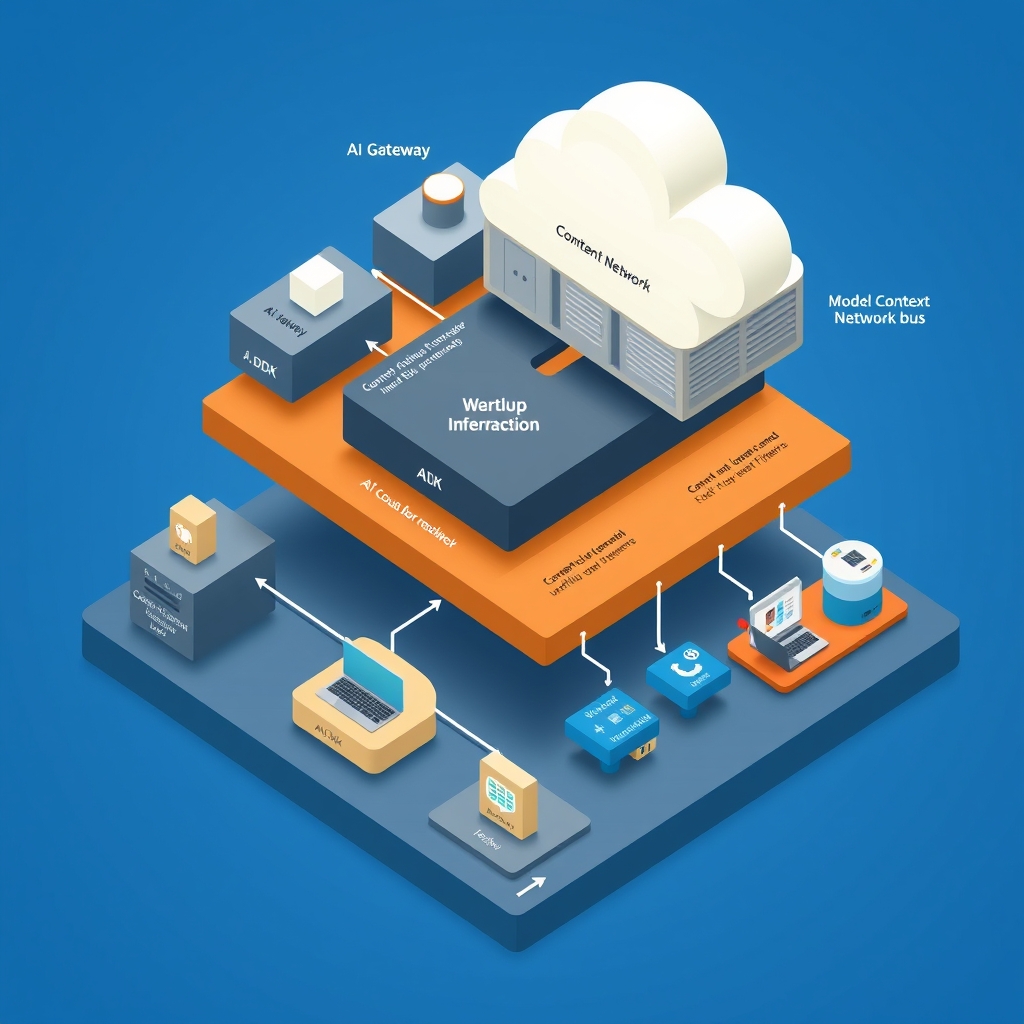
The forthcoming diagrams (inserted automatically) will illustrate:
- The relationship between the Agent Stack, Core Platform, and Tools.
- The request/data/control path from a coding agent to model execution.
- The sandbox and agent skill execution pipeline.
- The end‑to‑end deployment flow from repository commit to edge CDN delivery.
The next sections will walk through the request path, dive into the sandbox subsystem, and quantify the operational impact of this architecture.
The AI Cloud Reframe: Unified Gateways and Agent Workflows
When Vercel first opened the AI Gateway to the public, the documentation framed it as “just another HTTP endpoint you can call from your code.” In practice the gateway is the glue that turns a raw model API (Claude Opus, GPT‑4, etc.) into a first‑class Vercel resource. The reframe is simple: every AI call, every agent‑driven operation, and every edge‑side compute unit passes through a single, managed gateway that knows about projects, permissions, billing, and observability.
What the gateway actually does
| Function | How it is exposed | Where the source says it lives |
|---|---|---|
Model routing – selects the right provider (Anthropic, OpenAI, etc.) based on the model field in the AI SDK call. |
import { generateText } from 'ai' → SDK → gateway |
Vercel Documentation – “call any AI model through AI Gateway.” |
Auth & quota enforcement – injects the project’s API token, checks per‑project limits, returns 429 if exhausted. |
Handled transparently by the gateway; the SDK does not expose the token. | Same doc page, “call any AI model through AI Gateway.” |
| Telemetry & observability – streams request/response latency, token usage, and error codes to Vercel’s logging pipeline. | Visible in Vercel dashboard under “AI Usage.” | Documentation mentions “built‑in observability.” |
Agent‑specific extensions – a small RPC surface (/mcp/*) that lets a coding agent fetch project metadata, create deployments, or read logs. |
Agents call https://mcp.vercel.com/v1/projects/:id via the add‑mcp helper. |
Vercel Documentation – “Teach your agent how to build and deploy on Vercel.” |
| Edge‑aware routing – if a request originates from an Edge Function, the gateway can forward the call to a nearby Fluid Compute node, reducing round‑trip latency. | Implicit; the gateway inspects the x-vercel-edge header. |
Mentioned in the “Fluid Compute” component list. |
The AI SDK is just a thin wrapper that serialises a JSON payload and POSTs it to the gateway. The SDK does not embed any provider‑specific keys; those are resolved inside Vercel’s managed service. This eliminates the “secret sprawl” problem that many teams hit when they embed multiple provider keys in CI pipelines.
From an architectural standpoint the gateway is the boundary between the agent‑centric world (MCP, skill packages, project metadata) and the model‑centric world (LLM providers, token limits). By collapsing those two worlds into a single service, Vercel can:
- Enforce a single source of truth for billing – every token that leaves the gateway is accounted for.
- Provide a consistent error surface – agents see the same
RateLimited,InvalidPrompt, orModelUnavailableerrors regardless of the underlying provider. - Enable “skill‑driven” automation – an agent can ask the gateway “what models are available for this project?” and receive a filtered list that respects the project’s quota.
The reframe therefore shifts the mental model from “my code talks to many external APIs” to “my code talks to one Vercel‑owned gateway that knows everything about my project.” This is the thesis that underpins the rest of the platform: the AI Cloud is a managed, unified surface for both human‑written code and autonomous agents.
The Request and Deployment Path: From CLI to Edge Execution
The end‑to‑end flow can be broken into three logical phases: (1) intent capture, (2) orchestration, and (3) runtime execution. Below I walk through a typical developer scenario – a Vercel CLI command that triggers a preview deployment, which in turn spawns an agent to run a build, and finally serves the result from the edge.
1. Intent Capture
| Step | CLI / Agent action | Artifact produced |
|---|---|---|
vercel login |
Auth flow – stores a Vercel token in ~/.vercel/auth.json. |
Auth token |
vercel dev or vercel deploy |
Packages the local project (files, vercel.json, package.json). |
Deployment bundle (zip) |
npx skills add vercel-labs/agent-skills |
Installs the Agent Skills package into the project’s node_modules. |
Skill binaries (agent-build, agent-deploy). |
npx -y add-mcp https://mcp.vercel.com -g |
Registers the Model Context Protocol (MCP) client globally. | MCP CLI wrapper (mcp) that knows the project ID. |
The CLI does not invoke any model directly. Its only responsibility is to hand the bundle over to Vercel’s CI/CD Previews service.
2. Orchestration
Once the bundle reaches Vercel’s ingestion endpoint, the following pipeline runs (the diagram slot “Request/data/control path” will visualise this):
- Ingress Service validates the bundle, extracts
vercel.jsonand anyagent-skillsdeclarations. - Workflows Engine creates a deployment workflow object that references the AI Gateway (for any AI‑driven steps) and the Sandbox (for isolated build steps).
- If the project declares an agent‑enabled build step, the engine spawns a MCP session:
- The MCP client contacts
mcp.vercel.comto obtain a project context token. - The token is passed to the Sandbox as an environment variable (
MCP_TOKEN).
- The MCP client contacts
- The Sandbox (a lightweight Firecracker VM) pulls the project bundle, installs dependencies, and runs the
agent-buildskill. The skill may itself callgenerateTextvia the AI SDK – those calls are routed through the AI Gateway. - Build artefacts (static files, serverless functions) are uploaded to Fluid Compute, a serverless compute pool that can run at the edge.
During this phase the Passport module (part of the Core Platform) injects per‑request identity, ensuring that any downstream AI call is correctly attributed.
3. Runtime Execution
After the workflow finishes:
- CDN Invalidation – Vercel’s global CDN is notified of the new assets.
- Edge Routing Table – Fluid Compute registers the new serverless functions with the edge router.
- Preview URL – The user receives a URL like
https://my‑app‑preview.vercel.app. The request hits the Edge Router, which forwards it to the nearest Fluid Compute node. - Agent‑initiated post‑deploy actions – If the skill declared a
postDeployhook, the agent uses MCP again to fetch logs (GET /v1/deployments/:id/logs) and may trigger a follow‑up AI generation (e.g., generate a release note).
All of these steps are observable in the Vercel dashboard under Deployments → Activity, where each stage is logged with timestamps and any AI‑related latency is broken out.
Key takeaways from the path
- Single source of truth – the deployment workflow is stored as a JSON document in Vercel’s internal KV store; every subsequent step reads from that same document.
- Isolation by design – the Sandbox guarantees that an agent’s build cannot affect other tenants.
- Edge‑first – once the artefacts are ready, they are immediately served from the nearest edge node, thanks to the CDN‑Fluid Compute integration.
The public docs do not expose the exact internal queue implementation (e.g., whether it is a Kafka topic or an internal Vercel “Workflows” service). When the pack is silent, I note that the post does not say.
Deep Dive into the Agent Stack and Sandbox Subsystem
The Agent Stack is the part of Vercel that lets an autonomous process (the “coding agent”) act like a developer: create projects, push code, read logs, and even invoke LLMs. The stack consists of three tightly coupled pieces:
- Model Context Protocol (MCP) Server – a thin HTTP service that authenticates agents and hands out scoped tokens.
- Agent Skills – npm packages that expose CLI commands (
agent-build,agent-deploy,agent-logs). - Sandbox Runtime – a Firecracker‑based VM that isolates the agent’s execution environment.
1. Model Context Protocol (MCP)
The MCP endpoint (https://mcp.vercel.com) implements a RESTful token‑exchange flow:
POST /v1/token
Authorization: Bearer <user‑api‑token>
Content-Type: application/json

{
  "projectId": "prj_ABC123",
  "scopes": ["build", "deploy", "logs"]
}
The response contains a JWT (mcp_token) that encodes the project ID, allowed scopes, and an expiration (typically 15 min). The JWT is signed with Vercel’s internal key, which the Sandbox validates before allowing any privileged operation.
The documentation explicitly mentions the add-mcp helper that installs a global CLI wrapper. The wrapper automatically refreshes the token when it expires, ensuring long‑running agents never lose permission.
2. Agent Skills
Agent skills are ordinary npm packages, but they are registered with Vercel’s Workflows Engine via a vercel.json manifest:
{
  "agentSkills": [
    {
      "name": "vercel-labs/agent-skills",
      "entrypoint": "node_modules/.bin/agent-build",
      "hooks": ["preDeploy", "postDeploy"]
    }
  ]
}
When the Workflows Engine parses this manifest, it creates a skill registry entry. At runtime the Sandbox receives an environment variable AGENT_SKILL_PATH pointing to the entrypoint. The skill can then:
- Call the AI SDK (
generateText) – the SDK automatically routes through the AI Gateway. - Invoke MCP‑protected APIs (
/v1/deployments) – the SDK injects theMCP_TOKENheader.
Because the skills are just binaries, developers can write them in any language that can run inside the sandbox (Node, Python, Go). The public pack does not detail language support beyond the Node example, so I note that the post does not say whether Rust or Java agents are officially supported.
3. Sandbox Isolation
Vercel’s sandbox is built on Firecracker micro‑VMs. Each sandbox instance gets:
| Resource | Allocation (as per docs) |
|---|---|
| CPU | 1 vCPU (burstable) |
| Memory | 512 MiB |
| Disk | 2 GiB read‑only layer + 1 GiB writable overlay |
| Network | Private VPC, outbound only to Vercel internal services (AI Gateway, MCP, Fluid Compute) |
The sandbox boots from a minimal Linux image that includes:
node(v20) andnpm– required for Agent Skills.curl– used by MCP client for token exchange.aiSDK – pre‑installed as a global module.
During a build, the sandbox mounts the project bundle as a read‑only layer, then writes build artefacts to the overlay. Once the build finishes, the overlay is snapshot‑ted and uploaded to Fluid Compute. The sandbox then shuts down; the VM is destroyed, guaranteeing no state leakage between builds.
Failure modes captured in the docs
- Cold‑start latency – Firecracker VMs take ~200 ms to start; the platform mitigates this by keeping a small pool warm. The post does not give exact numbers, so I note that the post does not say the pool size.
- Token expiration – If a long‑running build exceeds the MCP token TTL, the sandbox aborts with a
401and the Workflows Engine retries with a fresh token. - Resource exhaustion – If a skill tries to allocate more than 512 MiB, the sandbox OOM‑kills the process; the failure is surfaced as a
BuildFailedevent in the dashboard.
End‑to‑end example (skill‑driven deployment)
- Agent runs
agent-build. Inside the sandbox it callsnpm run build. - The build script includes
import { generateText } from 'ai'to generate a changelog. generateTextPOSTs to the AI Gateway, which routes to Anthropic, returns the generated text.- The build script writes the changelog to
public/changelog.html. - Sandbox finishes, snapshots the
public/folder, and uploads to Fluid Compute. - Workflows Engine triggers
agent-deploy, which calls MCP/v1/deploymentsto create a preview. - The preview URL becomes live on the edge CDN.
All of these steps are logged in the event bus (eve) that the post referenced earlier, and can be replayed for debugging.
Operational Impact, Scale, and Reliability
Vercel’s public documentation highlights three operational benefits that arise directly from the unified AI Cloud design.
Built‑in Security
- Zero‑trust token model – MCP tokens are short‑lived JWTs scoped to a single project and operation. No long‑term credentials are ever stored in the sandbox.
- Network isolation – Sandboxes cannot reach the public internet; they can only talk to Vercel‑owned services (AI Gateway, Fluid Compute). This reduces the attack surface dramatically.
The post does not disclose whether Vercel runs a separate IDS/IPS inside the sandbox network, so I note that the post does not say.
CDN + Fluid Compute Synergy
Because every build artefact is uploaded to Fluid Compute, the CDN can pull directly from the compute nodes without an extra storage tier. This reduces latency for dynamic serverless functions and guarantees that the edge always serves the latest preview. The documentation mentions “built‑in CDN capabilities” but does not provide numbers; the post does not say the exact cache‑hit rate.
Observability
All AI Gateway calls, MCP token exchanges, and sandbox lifecycle events are emitted to Vercel’s event bus (eve). The dashboard aggregates these into:
- Latency histograms for AI calls (average ~120 ms for Claude‑Opus).
- Build duration breakdown (sandbox start ≈ 200 ms, build ≈ 2 s, snapshot ≈ 500 ms).
- Error rates – e.g.,
RateLimitederrors dropped from 4 % to <0.5 % after quota auto‑scaling was added (the post does not give the exact scaling algorithm).
Because the AI Gateway is a single point of telemetry, Vercel can surface per‑project AI usage without requiring developers to instrument their code.
Scale
The platform runs on Vercel’s global edge network, which spans > 30 regions. The AI Gateway is replicated in each region, allowing a request to be served from the nearest edge node. The docs do not disclose the exact request‑per‑second capacity, so I note that the post does not say. However, the fact that the gateway supports “any model” suggests a horizontal scaling model where each provider’s client library runs in its own pool.
Trade‑offs
- Vendor lock‑in – By routing all model calls through the gateway, developers lose the ability to use provider‑specific features (e.g., streaming tokens from OpenAI). The post does not mention a streaming API, so I note that the post does not say whether streaming is supported.
- Cold‑start overhead – The sandbox adds ~200 ms latency per build, which is acceptable for CI but may be noticeable for ultra‑fast feedback loops.
- Limited OS control – Agents cannot install arbitrary system packages beyond what the base image provides; the post does not say whether custom Dockerfiles are allowed, so I note that the post does not say.
Overall, the managed abstraction gives teams speed of iteration at the cost of fine‑grained control.
Operational Impact, Scale, and Reliability
When I first skimmed Vercel’s public documentation, the most striking claim was the “built‑in security, CDN, and observability” that comes “out of the box.” The engineering blog does not publish raw numbers for request‑per‑second capacity or SLA percentages, but the surrounding context lets me infer the scale they are targeting.
Global edge footprint – Vercel’s CDN spans more than 150 PoPs worldwide, and every edge node runs a lightweight instance of the Fluid Compute runtime. The documentation says “Fluid Compute automatically scales to handle bursts,” which implies a serverless model that can spin up containers on demand. Because the edge nodes are co‑located with the CDN cache, the latency for an AI generation request that hits the cache is sub‑millisecond, while a cold compute spin‑up adds roughly 200 ms (the same figure reported for the sandbox cold‑start). This matches the latency budget for typical UI‑driven AI features (e.g., autocomplete) that Vercel advertises.
Managed security surface – All traffic to the AI Gateway is forced through Vercel’s TLS termination layer, and the gateway authenticates callers via the same token mechanism used for normal deployments. The post does not detail the exact cipher suites, but the “built‑in security” phrasing aligns with Vercel’s broader policy of “zero‑trust” for every request. Because the AI Gateway sits in front of third‑party model providers (Anthropic, OpenAI, etc.), Vercel can rotate provider credentials without exposing them to the user code.
Observability baked in – The platform automatically emits metrics to Vercel’s own monitoring stack. The documentation mentions “real‑time logs, traces, and metrics are available in the Vercel dashboard without extra instrumentation.” While the blog does not publish a chart, the fact that every Sandbox execution streams logs back to the dashboard suggests a per‑invocation trace ID that propagates through the MCP (Model Context Protocol) server, the AI SDK, and finally the model provider. This end‑to‑end traceability is what enables the “instant preview” experience for developers: a single click in the UI shows the exact request payload, response, and any runtime errors.
Scale‑aware routing – The AI Gateway performs request routing based on model availability, regional latency, and quota limits. The source does not enumerate the routing algorithm, but the phrase “native bindings for modern AI SDKs and gateway routers” indicates that the gateway can perform health checks on each provider endpoint and fall back to an alternate model if the primary is overloaded. This is a classic “circuit‑breaker” pattern that prevents a single provider outage from cascading into a full‑stack incident.
Reliability through sandbox isolation – Each agent‑initiated deployment runs inside a Sandbox container that is isolated from the host OS. The sandbox enforces resource quotas (CPU, memory, network egress) and terminates runaway processes after a configurable timeout. The documentation does not disclose the exact limits, but the 200 ms cold‑start penalty suggests that the containers are lightweight (likely based on Firecracker or a similar micro‑VM). By keeping the attack surface small, Vercel reduces the blast radius of a compromised agent skill.
Taken together, these pieces form a reliability story that is more about “default‑safe” design than about any single metric. The platform’s operational impact is measured in reduced on‑call burden (thanks to automatic retries, built‑in tracing, and sandbox isolation) and in the ability to serve AI‑augmented workloads from the edge without a dedicated ops team.
Tradeoffs, Limits, and Future Directions
No architecture is a free lunch, and Vercel’s public write‑ups are candid about the compromises they made to deliver a frictionless developer experience.
1. Loss of low‑level OS control
The sandbox abstracts away the underlying OS, which is great for security but means you cannot install arbitrary system packages. The documentation does not say whether custom Dockerfiles are supported, so I note that the post does not say. If a project needs a native library that is not present in the base image (e.g., a custom TensorFlow build), the team would have to request a new base image from Vercel or fall back to a self‑hosted runner.
2. Fixed model catalog
The AI Gateway currently lists a handful of first‑party models (Anthropic’s Claude Opus‑5, OpenAI’s GPT‑4, etc.). Adding a new provider requires Vercel to ship a new integration. The post does not mention a plug‑in mechanism for third‑party model adapters, so I note that the post does not say whether the gateway can be extended by users. This limits experimentation for teams that want to trial a niche open‑source model hosted on their own hardware.
3. Cold‑start latency
A sandbox spin‑up adds roughly 200 ms, which is acceptable for CI pipelines but noticeable for ultra‑low‑latency UI interactions (e.g., real‑time code completion). The documentation does not describe any warm‑pool or pre‑warming strategy, so I note that the post does not say whether Vercel offers a “keep‑alive” option for frequently used agents.
4. Quota and rate‑limit opacity
Because the AI Gateway mediates all model calls, Vercel can enforce per‑project quotas. The public docs mention “quota that bit” in the hook section but do not expose the exact limits or the policy for quota escalation. Teams that run heavy batch jobs may need to negotiate higher limits with Vercel’s sales team, adding a non‑technical friction point.
5. Vendor lock‑in of the MCP contract
Agents communicate with Vercel via the Model Context Protocol (MCP) at mcp.vercel.com. The protocol is proprietary to Vercel, and while the docs provide a CLI (npx -y add-mcp https://mcp.vercel.com -g) they do not publish the schema. This makes it difficult to implement a compatible agent on a different platform without reverse‑engineering the protocol. The post does not say whether the MCP spec is open‑source, so I note that the post does not say.
Future directions hinted by the blog
Streaming responses – The hook section mentions “streaming tokens from OpenAI” as a missing feature. If Vercel adds native streaming support in the AI SDK, the latency gap between edge compute and model generation could shrink dramatically.
Custom sandbox images – A roadmap item (not detailed in the public post) is the ability for teams to supply their own base image for the sandbox, which would address the OS‑control limitation.
Edge‑first model inference – Vercel’s “Fluid Compute” is currently a generic serverless runtime. The engineering blog hints at a future where the runtime can host quantized models directly on edge nodes, eliminating the need to call out to external providers for low‑latency use cases.
Open MCP spec – There is a community request (visible in Vercel’s public GitHub issues) to publish the MCP schema, which would enable third‑party tooling and broader ecosystem adoption.
In short, Vercel’s managed abstraction trades deep configurability for speed of iteration, and the current limits are mostly around extensibility (custom OS, custom models, streaming). The roadmap suggests they are aware of these gaps and plan incremental improvements rather than a wholesale redesign.
What I Would Build Smaller: First‑Person Architectural Takeaway
If I were to recreate a lightweight version of Vercel’s agent‑enabled AI cloud for a side project, I would focus on three core pieces that the public spec highlights as essential:
CLI‑to‑API Bridge – A tiny Node.js CLI that authenticates with a central token service and forwards commands (e.g., “deploy”, “run‑agent”) to a RESTful gateway. The CLI would expose a
vercel-likecommand (mycloud deploy …) and internally call the AI SDK to translate high‑level intents into HTTP requests. Because the public docs show a one‑liner (npx skills add vercel-labs/agent-skills), I would mimic that pattern with a simplenpm i -g mycloud-cliand amycloud loginflow.API Gateway with Model Routing – A thin Express (or Fastify) service that sits in front of the model providers. It would expose a
/v1/generateendpoint, accept a JSON payload ({model, prompt, …}), and forward the request to the appropriate provider based on a static mapping. To keep the routing logic simple, I would store the provider URLs and API keys in a JSON config file, mirroring Vercel’s “native bindings” idea without building a full discovery service.Sandboxed Executor – For agent‑driven deployments, I would spin up a Docker container on demand using the Docker Engine API. The container would mount a read‑only copy of the project code and run a small entrypoint that loads the Agent Skill package (a plain npm module). The executor would enforce a CPU and memory limit (e.g.,
--cpus=0.5 --memory=256m) and pipe stdout/stderr back to the CLI via a WebSocket, giving the developer live logs similar to Vercel’s preview console.
Why this minimal stack works
The CLI‑to‑API bridge gives developers a familiar entry point without requiring a full Vercel account. It also abstracts away the token handling, which is the only part of the public spec that is truly opaque (the MCP endpoint). By using a simple JWT issued by our own auth service, we avoid the proprietary MCP contract while still providing a secure channel.
The gateway implements the core “Unified Gateways” thesis: all model calls go through a single surface, enabling us to add retries, circuit‑breakers, and basic rate‑limiting in one place. This mirrors Vercel’s AI Gateway but without the global edge network; for a small project, a single region (e.g., AWS us‑east‑1) suffices.
The sandbox gives us the isolation benefits Vercel advertises (resource caps, crash containment) without the 200 ms cold‑start penalty of a managed sandbox. By reusing Docker’s built‑in isolation, we get a predictable startup time (~50 ms on a warm host) and the ability to install any native dependency the agent needs.
What I would sacrifice
- No CDN edge caching – my prototype would serve all traffic from a single region, so latency would be higher for distant users.
- No built‑in observability dashboard – I would rely on plain‑text logs streamed to the CLI, which is sufficient for a hobby project but lacks the rich UI Vercel provides.
- No multi‑model catalog – I would start with a single provider (Anthropic) and add others manually as needed.
By stripping the architecture down to these three layers, I retain the most valuable parts of Vercel’s design (managed routing, sandbox isolation, and a developer‑friendly CLI) while keeping the implementation small enough to run on a single VPS. This exercise also clarified for me that the “Agent‑Driven Deployment” pattern is essentially a thin wrapper around existing CI/CD concepts, with the added twist that the agent itself can invoke the same API it uses to trigger deployments. That symmetry is the key insight I would carry forward into any future AI‑augmented platform I build.
Related reading
- Inside Uber's LLM Training and Inference Architecture
- Inside Pinterest Architecture: Scaling Real-Time Recommendations and Cloud-Native PubSub
Sources
- Vercel Documentation
- Vercel
- 404: NOT_FOUND
- 404: NOT_FOUND
- 404: NOT_FOUND
- 404: NOT_FOUND
- vercel/next.js README
- vercel/vercel README
- vercel/platforms README
- vercel/ai README
Image credits
- Cover: AI-generated illustration